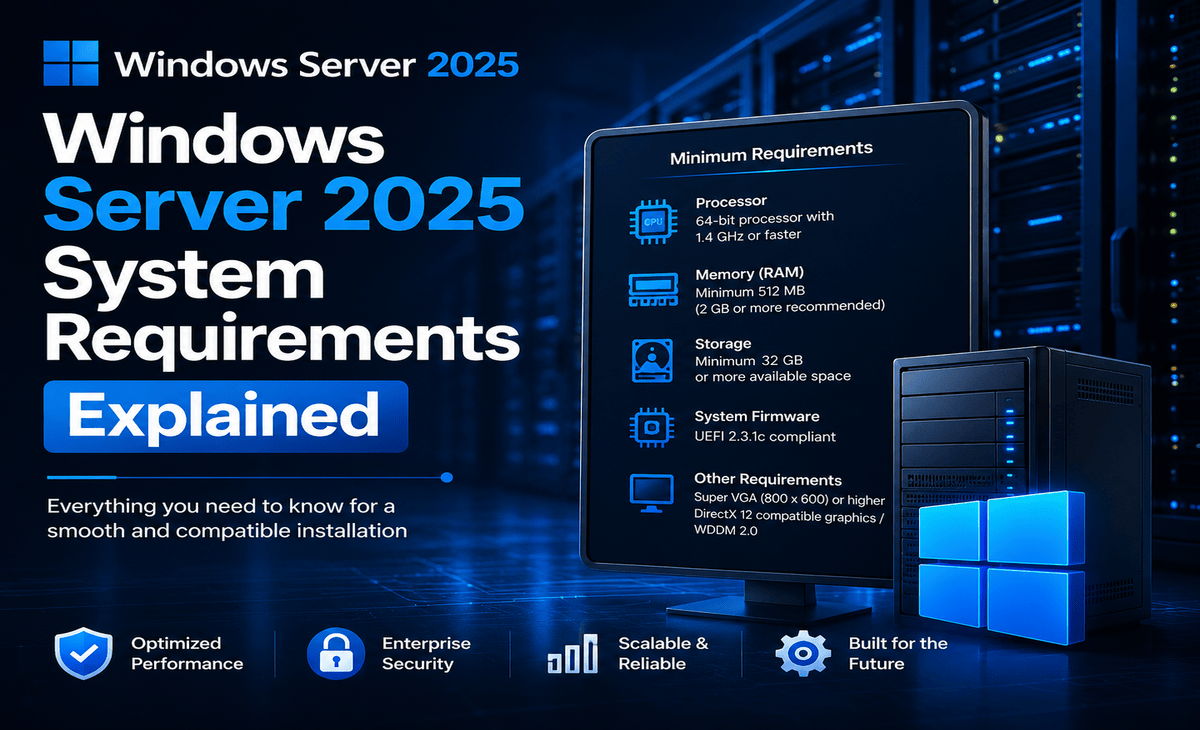
Planning to install Windows Server 2025 and wondering whether your hardware is powerful enough?
Windows Server 2025 has relatively modest minimum hardware requirements, but meeting the minimum does not necessarily mean a server is ready for production. The resources you actually need depend on your workloads, number of users, virtual machines, applications, databases, storage, and server roles.
Table of Contents
In this guide, we’ll explain the Windows Server 2025 system requirements, including CPU, RAM, storage, networking, firmware, virtualization, secured-core requirements, and the difference between minimum and recommended hardware.
Windows Server 2025 System Requirements at a Glance
| Component | Minimum Requirement |
|---|---|
| Processor | 1.4 GHz 64-bit processor |
| Architecture | x64 compatible |
| RAM | 2 GB for Server Core |
| RAM for Desktop Experience | 4 GB recommended |
| Storage | 32 GB minimum system partition |
| Network | 1 Gbps Ethernet adapter |
| Storage controller | PCI Express-compliant |
| Firmware | UEFI/BIOS compatible |
| Installation media | USB/DVD or supported deployment method |
| Internet | Required for some features and services |
These are Microsoft’s published minimum hardware requirements. Actual requirements vary depending on the server configuration, applications, and features you install.
1. Processor Requirements
Windows Server 2025 requires a 1.4 GHz or faster 64-bit processor that is compatible with the x64 instruction set.
The processor must also support several required instruction and virtualization-related capabilities, including:
- NX and DEP
- CMPXCHG16b
- LAHF/SAHF
- PrefetchW
- Second Level Address Translation (EPT or NPT)
- SSE4.2
- POPCNT
Microsoft notes that CPU performance depends on more than clock speed. Processor cores and cache size can also have a significant effect on server performance.
Is 1.4 GHz enough for a real server?
Not necessarily.
1.4 GHz is a minimum installation requirement, not a recommended specification for every production workload.
For example, a server running a small internal application may need considerably fewer resources than a server hosting:
- Multiple virtual machines
- SQL databases
- Large file shares
- Web applications
- Active Directory services
- Remote Desktop workloads
- Business applications
For production environments, choose the processor based on your actual workload rather than simply meeting the minimum requirement.
2. RAM Requirements
RAM is one of the most important Windows Server 2025 hardware considerations.
Microsoft lists:
Server Core
2 GB minimum RAM
Server with Desktop Experience
2 GB minimum, with 4 GB recommended
Server Core provides a smaller installation without the full graphical desktop interface, while Desktop Experience includes the traditional Windows graphical interface.
How much RAM should you actually use?
The answer depends on what the server will do.
A basic test server may run with relatively little memory, while a production server running several applications or virtual machines may need substantially more.
For example:
| Workload | Practical Starting Point |
|---|---|
| Basic test server | 4 GB+ |
| Small infrastructure server | 8 GB+ |
| File/application server | 16 GB+ |
| Virtualization host | 32 GB+ |
| Multiple VMs / heavy workloads | 64 GB+ |
These are planning examples, not Microsoft minimum requirements. Your actual RAM requirement should be determined by your applications and workload.
3. Storage Requirements
Windows Server 2025 requires a minimum of 32 GB of space for the system partition. Microsoft describes 32 GB as an absolute minimum for successful installation in supported scenarios.
However, you should not build a production server with only 32 GB of storage.
The operating system needs additional space for:
- Windows updates
- Temporary files
- Logs
- Page files
- Crash dumps
- Applications
- Server roles
- Databases
- Backups
- Monitoring tools
Servers with more than 16 GB of RAM may also require additional disk space for paging, hibernation, and dump files.
SSD or HDD?
Windows Server can operate with supported storage hardware, but SSDs are generally preferable for workloads that require faster:
- Boot times
- Application loading
- Database access
- Virtual machine storage
- File operations
For production environments, storage performance and redundancy can be more important than simply meeting the minimum capacity.
4. Network Requirements
Windows Server 2025 requires an Ethernet network adapter capable of at least 1 Gbps throughput and compliant with the PCI Express architecture specification.
A faster network may be appropriate for servers handling:
- Large file transfers
- Virtual machines
- Database traffic
- Backup operations
- High-volume application traffic
- Multiple concurrent users
For some environments, 10 GbE or faster networking may provide significant benefits.
5. Server Core vs Desktop Experience
When installing Windows Server 2025, you can choose between different installation experiences, including:
Server Core
Server Core provides a more lightweight Windows Server environment without the full desktop GUI.
It can be useful when you want:
- Lower resource usage
- A smaller installation footprint
- Reduced graphical overhead
- Remote administration
- A smaller attack surface
Server with Desktop Experience
Desktop Experience provides the familiar Windows graphical interface.
It can be more convenient for administrators who prefer GUI-based management or applications that require graphical components.
Microsoft’s minimum hardware requirements apply to both installation options, although the practical resource requirements can differ depending on the workload.
6. UEFI, Secure Boot and Firmware
Modern Windows Server deployments may use UEFI firmware and Secure Boot.
Certain security features have additional hardware and firmware requirements.
For example, Microsoft’s Secured-core server capabilities require additional technologies such as:
- TPM 2.0
- Secure Boot
- Virtualization-based Security (VBS) support
- DMA Remapping / IOMMU
- Kernel DMA Protection
- Dynamic Root of Trust for Measurement (DRTM)
These features provide additional protection against certain firmware, boot, and hardware-level threats.
Do you need all of these features?
Not necessarily for every Windows Server installation.
The requirements depend on whether you intend to deploy Secured-core server capabilities.
7. TPM 2.0 Requirements
TPM is not simply a universal requirement for every basic Windows Server installation.
Microsoft lists TPM 2.0 as a requirement for certain security features, including Secured-core capabilities and BitLocker-related scenarios.
If your organization plans to use advanced hardware-backed security, verify that the server platform supports the required TPM and security technologies before deployment.
8. Virtual Machine Requirements
Planning to run Windows Server 2025 inside a virtual machine?
Pay attention to the VM configuration.
Microsoft notes that attempting installation in a VM with extremely low allocated resources can cause setup to fail. For the installation process, Microsoft recommends allocating at least 1,280 MB of RAM to the VM rather than using a configuration with only 1,024 MB.
For production virtual machines, you will normally want significantly more resources.
For example:
| VM Workload | Example RAM |
|---|---|
| Basic test VM | 4 GB+ |
| Small server workload | 8 GB+ |
| Application server | 16 GB+ |
| Database / heavier workload | 16–32 GB+ |
| Multiple services | 32 GB+ |
Again, these are practical planning examples rather than Microsoft minimum specifications.
9. Does Windows Server 2025 Require an Internet Connection?
Internet access is not simply a universal hardware requirement for every server workload.
However, internet connectivity may be required for:
- Activation
- Windows Update
- Cloud-connected services
- Certain Microsoft services
- Downloading installation components
- Hybrid cloud functionality
Microsoft includes internet access among other requirements that may apply depending on the features being used.
For isolated server environments, plan your installation and update strategy carefully.
10. Graphics and Display Requirements
A dedicated high-end graphics card is generally not necessary for normal Windows Server workloads.
Microsoft lists a graphics adapter and monitor capable of at least 1024 × 768 for scenarios where those components are required.
For Server Core deployments, administrators often manage servers remotely, so a permanent monitor may not be necessary after installation.
Windows Server 2025 Minimum vs Recommended Hardware
One of the biggest mistakes when planning a server is confusing minimum requirements with recommended production hardware.
| Component | Minimum | Better for Production |
|---|---|---|
| CPU | 1.4 GHz 64-bit | Modern multi-core CPU |
| RAM | 2 GB Server Core | 16 GB+ depending on workload |
| Storage | 32 GB | SSD with additional capacity |
| Network | 1 Gbps | 1–10 Gbps depending on workload |
| Firmware | Compatible firmware | Modern UEFI + security features |
| Storage redundancy | Not required | RAID / resilient storage where appropriate |
| Backup | Not required for installation | Dedicated backup strategy |
There is no single recommended hardware configuration that works for every Windows Server deployment. Microsoft explicitly states that actual requirements vary based on server roles, applications, features, and configuration.
Recommended Hardware for Common Windows Server Workloads
Small Business Server
For a small business server handling basic infrastructure services, a reasonable starting configuration might be:
- Modern 4–8 core CPU
- 16 GB RAM
- SSD storage
- 1 Gbps or faster network
- Reliable backup system
File Server
A file server may require more storage capacity and faster disks than a basic infrastructure server.
Consider:
- 16–32 GB RAM
- SSD for OS
- Larger storage pool for files
- Redundant storage
- 1–10 Gbps networking depending on users
Virtualization Host
Virtualization requires significantly more resources.
Consider:
- Multi-core server CPU
- 32 GB RAM or more
- Fast SSD/NVMe storage
- High-speed networking
- Redundant power and storage
- Hardware virtualization support
The more virtual machines you plan to run, the more CPU, RAM, storage I/O, and network capacity you will need.
Windows Server 2025 Standard vs Datacenter
Hardware requirements are not the only consideration when choosing Windows Server 2025.
Microsoft offers editions including Standard and Datacenter, with different virtualization and feature capabilities.
Windows Server 2025 Standard
Designed primarily for physical or minimally virtualized environments.
Microsoft’s current licensing information describes Standard as supporting two virtual machines plus one Hyper-V host per appropriately licensed server.
Windows Server 2025 Datacenter
Designed for highly virtualized data centers and cloud environments.
Microsoft lists Datacenter as supporting unlimited virtual machines plus one Hyper-V host per appropriately licensed server, subject to the applicable licensing model.
If you’re unsure which edition to choose, compare your virtualization and licensing requirements before purchasing.
Can Windows Server 2025 Run on an Old Server?
Possibly, but meeting the minimum requirements does not guarantee that an older server will be a good production platform.
Before upgrading older hardware, check:
- CPU compatibility
- RAM capacity
- Storage controller compatibility
- Network adapter support
- Firmware updates
- Driver availability
- TPM/security capabilities
- Application compatibility
- Virtualization support
Microsoft recommends checking the requirements for the specific server roles and conducting test deployments because actual requirements vary by environment.
How to Check Your Server Hardware
Before installing Windows Server 2025, check your current hardware.
CPU
Look for:
- 64-bit support
- Required instruction sets
- Number of cores
- CPU generation
- Virtualization support
RAM
Check total installed memory and determine how much will remain available for applications or virtual machines.
Storage
Check:
- Available capacity
- Drive health
- Storage controller
- SSD/HDD type
- RAID or storage configuration
Network
Confirm that the server has a supported Ethernet adapter with at least 1 Gbps capability.
Firmware
Check whether the server manufacturer provides current BIOS/UEFI and firmware updates.
Windows Server 2025 Installation Checklist
Before installing Windows Server 2025, make sure you have:
- ✓ Compatible 64-bit processor
- ✓ At least 2 GB RAM for Server Core
- ✓ 4 GB or more for Desktop Experience
- ✓ At least 32 GB system-partition space
- ✓ Compatible storage controller
- ✓ 1 Gbps Ethernet adapter
- ✓ Compatible firmware
- ✓ Installation media
- ✓ Valid product key or subscription license
- ✓ Backup of important data
- ✓ Drivers for your server hardware
- ✓ Plan for updates and security
- ✓ Appropriate licensing for your deployment
Microsoft’s installation documentation also notes that installation media can come through supported channels such as OEM, Retail, Visual Studio subscription, and Volume Licensing, and that you should have a valid product key or subscription license appropriate for the product.
Windows Server 2025 Support Lifecycle
Windows Server 2025 is the current Long-Term Servicing Channel (LTSC) release.
Microsoft lists:
- Availability: November 1, 2024
- Mainstream support: Through November 13, 2029
- Extended support: Through November 14, 2034
The exact servicing and support details should always be checked against Microsoft’s current lifecycle information.
This makes Windows Server 2025 a long-term option for organizations planning new server deployments.
Frequently Asked Questions
What are the minimum Windows Server 2025 system requirements?
Microsoft lists a 1.4 GHz 64-bit processor, 2 GB RAM for Server Core, 4 GB recommended for Desktop Experience, 32 GB system-partition space, and a 1 Gbps Ethernet adapter among the minimum requirements.
How much RAM does Windows Server 2025 need?
The minimum is 2 GB for Server Core. Microsoft recommends 4 GB for Desktop Experience. Production servers generally need considerably more RAM depending on their workloads.
Does Windows Server 2025 require 64-bit?
Yes. Microsoft specifies a compatible 64-bit/x64 processor.
How much storage does Windows Server 2025 require?
The minimum system-partition requirement is 32 GB. This should be considered an absolute minimum rather than a practical production-storage recommendation.
Does Windows Server 2025 require TPM 2.0?
TPM 2.0 is required for certain security capabilities, including Secured-core server scenarios. It is not simply a universal requirement for every basic Windows Server installation.
Can Windows Server 2025 run in a virtual machine?
Yes. Windows Server 2025 can be installed in supported virtual environments. Make sure the VM has sufficient CPU, RAM, storage, and virtualization resources.
Is 4 GB RAM enough for Windows Server 2025?
It may be enough for a basic installation or light workload, but it is usually not a good target for a production server running multiple applications or virtual machines.
Can I install Windows Server 2025 on an old PC?
It may be possible if the hardware meets the requirements, but compatibility with drivers, storage controllers, firmware, and server workloads should be checked before deployment.
Which is better: Server Core or Desktop Experience?
Server Core uses a smaller installation and is useful for remotely managed server environments. Desktop Experience provides a graphical interface and may be more convenient for administrators who require GUI-based tools.
Is Windows Server 2025 good for virtualization?
Yes. Windows Server 2025 supports Hyper-V and is available in Standard and Datacenter editions with different virtualization rights under Microsoft’s licensing model.
How much RAM do I need for Hyper-V?
There is no single amount that fits every Hyper-V deployment. Your RAM needs depend on the number and type of virtual machines you plan to run. For production virtualization, 32 GB or more is a common starting point, but larger environments may require substantially more.
Does Windows Server 2025 support SSDs?
Yes. SSDs are commonly used for Windows Server installations and can provide better performance for workloads that involve frequent storage operations.
Does Windows Server 2025 need an internet connection?
Internet access may be required for activation, updates, and certain connected features. Requirements vary according to the deployment and services being used.
Final Verdict: What Hardware Should You Use?
The official minimum requirements for Windows Server 2025 are relatively low, but you should not design a production server around the minimum specifications.
For a typical small business deployment, a modern multi-core CPU, 16 GB or more RAM, SSD storage, and a 1 Gbps or faster network connection can provide a much more practical starting point.
For virtualization, databases, large file servers, or multiple applications, plan for substantially more CPU, memory, storage performance, and network capacity.
The right configuration ultimately depends on what your server will actually run.
Ready for Windows Server 2025?
If your hardware meets the requirements and you’ve chosen the appropriate edition, the next step is selecting a license that matches your deployment and licensing needs.