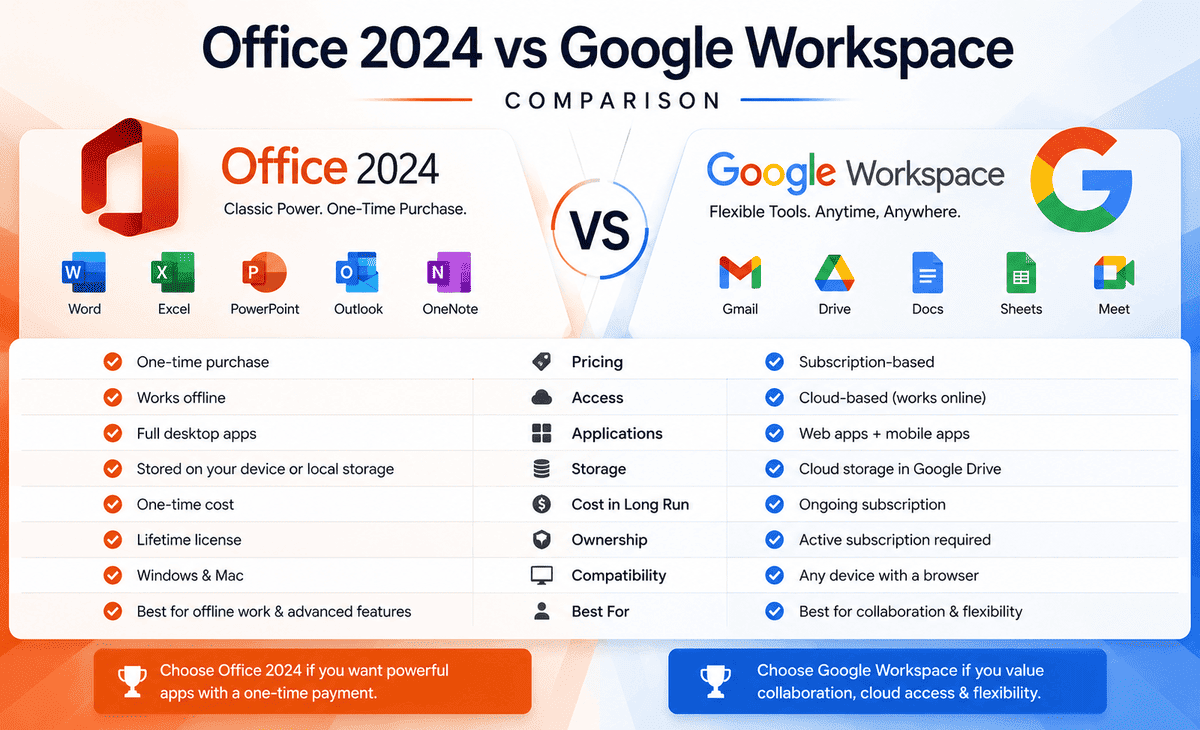
Choosing the right productivity suite is one of the most important decisions for anyone who works with documents, spreadsheets, and presentations. Two names dominate this space: Microsoft’s Office 2024 and Google Workspace. Both are powerful. Both are popular. But they take very different approaches to getting your work done.
Office 2024 is the latest one-time-purchase version of Microsoft’s famous desktop suite; you pay once and own it forever. Google Workspace is a cloud-based subscription that lives entirely in your web browser. So which one is right for you, your team, or your business?
Table of Contents
If you have ever felt confused trying to compare these two, you are not alone. This guide breaks down everything in simple, beginner-friendly language. We will compare features, pricing, collaboration, offline access, and more so by the end, you will know exactly which option fits your needs.
The Problem: Why This Choice Matters
Picking the wrong productivity suite can cost you time, money, and frustration. Imagine paying for software your team finds hard to use, or choosing a tool that does not work well offline when you need it most. Or picture struggling to share files with clients because your software uses a different format than theirs.
These problems are real, and they happen because people often choose based on familiarity or price alone, without thinking about how they actually work. Do you need powerful offline tools? Do you collaborate with a team in real time? Do you prefer paying once or subscribing monthly? The answers shape which suite serves you best.
Understanding the real differences between Office 2024 and Google Workspace helps you make a confident, informed decision that saves you headaches down the road.
What Is Office 2024?
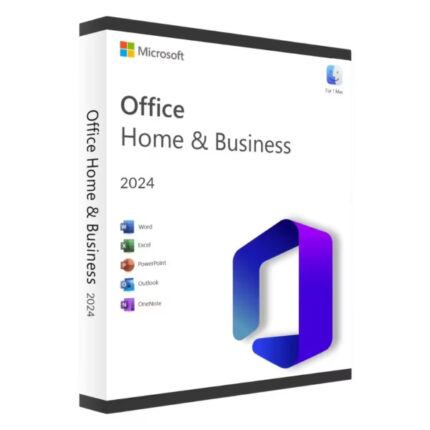
MS Office 2024 is the newest perpetual-license version of Microsoft Office, released in October 2024. It is a one-time purchase, meaning you pay once and use the software permanently with no recurring subscription.
Office 2024 includes the classic desktop applications that millions rely on: Word for documents, Excel for spreadsheets, PowerPoint for presentations, Outlook for email, and OneNote for note-taking. These apps install directly on your computer and run locally, which means they work fully offline and offer deep, powerful features.
The 2024 version added a refreshed Fluent Design interface, new Excel functions like TEXTSPLIT and GROUPBY, improved PowerPoint presentation tools, and better document recovery in Word. Microsoft provides security support for Office 2024 through October 2029.
Best for: People who want powerful desktop apps, full offline access, and a one-time purchase without ongoing fees.
What Is Google Workspace?
Google Workspace is a cloud-based productivity suite from Google. Instead of installing software on your computer, you access everything through your web browser. It works on a subscription model, with monthly or yearly plans.
Google Workspace includes Google Docs for documents, Google Sheets for spreadsheets, Google Slides for presentations, Gmail for professional email, Google Drive for cloud storage, Google Meet for video calls, and Google Calendar for scheduling all tied together in one connected ecosystem.
The biggest strength of Google Workspace is real-time collaboration. Multiple people can edit the same document at the same time, see each other’s changes instantly, and leave comments all from anywhere in the world. Everything saves automatically to the cloud.
Best for: Teams and businesses that prioritize real-time collaboration, cloud storage, and access from any device with an internet connection.
Feature-by-Feature Comparison
Let us compare the two suites across the areas that matter most.
Document Creation: Word vs Google Docs
Microsoft Word in Office 2024 is the industry standard for serious document creation. It offers advanced formatting, extensive templates, powerful mail merge, precise layout control, and professional-grade tools that handle complex documents flawlessly.
Google Docs is simpler and more streamlined. It covers everyday writing tasks well and shines at collaboration, but it lacks some of Word’s advanced formatting and layout features. For long, complex documents like legal contracts or detailed reports, Word has the clear edge. For quick collaborative writing, Google Docs is wonderfully convenient.
Spreadsheets: Excel vs Google Sheets
Excel in MS Office 2024 is arguably the most powerful spreadsheet tool available. It handles massive datasets, complex formulas, pivot tables, macros, and advanced data analysis with ease. New functions like GROUPBY and VSTACK make it even more capable.
Google Sheets is excellent for collaboration and handles most everyday spreadsheet tasks smoothly. However, it can struggle with very large datasets and lacks some of Excel’s advanced analytical features and macro capabilities. For heavy data work, Excel wins. For shared, simple-to-moderate spreadsheets, Sheets is a strong choice.
Presentations: PowerPoint vs Google Slides
PowerPoint in Office 2024 offers polished design tools, smooth animations, transitions, and a huge template library. It is the corporate standard for professional presentations.
Google Slides is easy to use and great for collaborative presentations, but its design tools feel more basic compared to PowerPoint. If you create high-impact presentations regularly, PowerPoint offers more creative power. For simple, team-built slideshows, Slides does the job nicely.
Email: Outlook vs Gmail
Office 2024 includes Outlook, a powerful desktop email client with advanced organization, calendar integration, and offline access. Google Workspace uses Gmail, a web-based email service known for its clean interface, powerful search, and seamless integration with other Google tools. Both are excellent the choice often comes down to whether you prefer a desktop client or a browser-based experience.
Collaboration and Cloud Features
This is where the two suites differ most dramatically.
Google Workspace was built for the cloud from the ground up. Real-time collaboration is its core strength multiple users edit simultaneously, changes sync instantly, and everything saves automatically to Google Drive. Sharing is as simple as sending a link. This makes Google Workspace ideal for remote teams and group projects.
Office 2024, being a desktop suite, focuses on offline power. While Microsoft does offer co-authoring features when files are stored in OneDrive, the experience is not as seamless or instant as Google’s. Office 2024 is built primarily for individuals who want robust local applications rather than constant cloud collaboration.
If your work revolves around teams editing together in real time, Google Workspace has the advantage. If you work mostly solo or need powerful offline tools, Office 2024 is the better fit.
Pricing Comparison
The pricing models are completely different, which makes this a key factor.
Office 2024 is a one-time purchase. You pay a single upfront amount and own the software permanently, with no recurring fees. Over several years, this often works out cheaper than a subscription, especially for individuals or small teams who do not need cloud features.
Google Workspace is subscription-based, with per-user monthly or yearly pricing. The cost includes cloud storage, email hosting, video conferencing, and continuous updates. While the ongoing cost adds up over time, it bundles many services together and scales easily for growing teams.
The simple way to think about it: Office 2024 is like buying a car outright, while Google Workspace is like leasing one with all services included. Which is better depends on how long you plan to use it and what features you value.
Offline Access
This is a practical difference that matters more than people expect.
Office 2024 works completely offline. Once installed, you can write documents, build spreadsheets, and create presentations without any internet connection. This is perfect for travelers, people with unreliable internet, or anyone who values uninterrupted work.
Google Workspace is designed for online use. While it does offer limited offline editing through browser extensions, the experience is not as smooth or reliable as native desktop software. If consistent internet access is a concern for you, Office 2024 is the safer choice.
Step-by-Step: How to Choose the Right Suite
Follow these steps to find your ideal productivity suite.
Step 1 — Assess your collaboration needs. Do you work alone or with a team? If real-time team editing is central to your work, lean toward Google Workspace. If you work mostly solo, Office 2024 may suit you better.
Step 2 — Consider your internet reliability. If you have constant, fast internet, Google Workspace works great. If your connection is spotty or you travel often, Office 2024’s offline power is a major advantage.
Step 3 — Evaluate feature depth. If you need advanced Excel analysis, complex Word documents, or polished PowerPoint presentations, Office 2024 offers more power. If you need simple, shared documents, Google Workspace is sufficient.
Step 4 — Think about your budget style. Prefer paying once and owning it? Choose Office 2024. Prefer a predictable subscription that includes storage and email? Choose Google Workspace.
Step 5 — Check compatibility with others. Consider what your clients, colleagues, and partners use. If everyone exchanges Microsoft files, Office 2024 ensures perfect compatibility. If your circle lives in Google’s ecosystem, Workspace fits naturally.
Practical Tips
Here are some real-world tips to make the most of your choice. First, you can actually use both many people keep Office 2024 for heavy desktop work and use free Google tools for quick collaboration. Second, if you choose Google Workspace, take advantage of its generous cloud storage to back up important files. Third, if you choose Office 2024, store key files in OneDrive to enable basic co-authoring when needed. Fourth, both suites can open each other’s file formats, though complex formatting may shift during conversion, so always double-check important documents. Fifth, test each suite with your actual work before committing Google offers free personal accounts, and Office has trial options.
FAQ
Is Office 2024 better than Google Workspace?
Neither is universally better; it depends on your needs. Office 2024 offers more powerful desktop applications, full offline access, and a one-time purchase. Google Workspace excels at real-time collaboration, cloud storage, and access from any device. Choose based on how you actually work.
Can I use Office 2024 and Google Workspace together?
Yes. Many people use both. You might use MS Office 2024 for heavy document and spreadsheet work while using Google Workspace tools for quick collaboration and cloud sharing. The two can complement each other well.
Does Office 2024 require an internet connection?
No. Office 2024 is a desktop suite that works completely offline once installed. You only need internet for initial download, activation, and receiving updates. This makes it ideal for people with unreliable connections or those who travel frequently.
Is Google Workspace good for large teams?
Yes. Google Workspace is designed for teams and scales easily. Its real-time collaboration, shared drives, video meetings, and centralized admin controls make it excellent for businesses of all sizes, especially those working remotely.
Which is cheaper, Office 2024 or Google Workspace?
It depends on your timeframe. Office 2024 is a one-time purchase, so over several years it often costs less for individuals. Google Workspace is a subscription with ongoing fees, but it bundles cloud storage, email, and other services. For long-term solo use, Office 2024 is usually cheaper; for teams needing bundled services, Workspace can offer better value.
Conclusion
Both Office 2024 and Google Workspace are outstanding productivity suites, but they serve different kinds of users.
If you value powerful desktop applications, complete offline access, advanced features in Excel and Word, and the simplicity of a one-time purchase, MS Office 2024 is the right choice. It is perfect for individuals, professionals, and anyone who wants robust tools that work anywhere, anytime no internet required.
If your work revolves around teamwork, real-time collaboration, cloud storage, and access from any device, Google Workspace is the smarter pick. Its seamless sharing and connected ecosystem make it ideal for remote teams and businesses that live online.
The best approach is to honestly assess how you work, who you work with, and what matters most to you. For some, the answer is clearly one suite. For others, a combination of both delivers the best of both worlds.
Whichever you choose, you are picking a capable, modern tool that will help you get more done. Match it to your real needs, and you will enjoy smooth, productive work for years to come.