
If you are shopping for a productivity suite in 2026, there is a good chance you have come across two options sitting side by side: Office 2024 Standard and Office 2024 Professional Plus. They look similar at first glance, but the differences between them can have a real impact on your daily workflow, especially if you work in a business environment.
Table of Contents
This guide puts both editions under the spotlight, compares their features honestly, and helps you decide which one is worth your money.
What Is Microsoft Office 2024 Professional Plus?
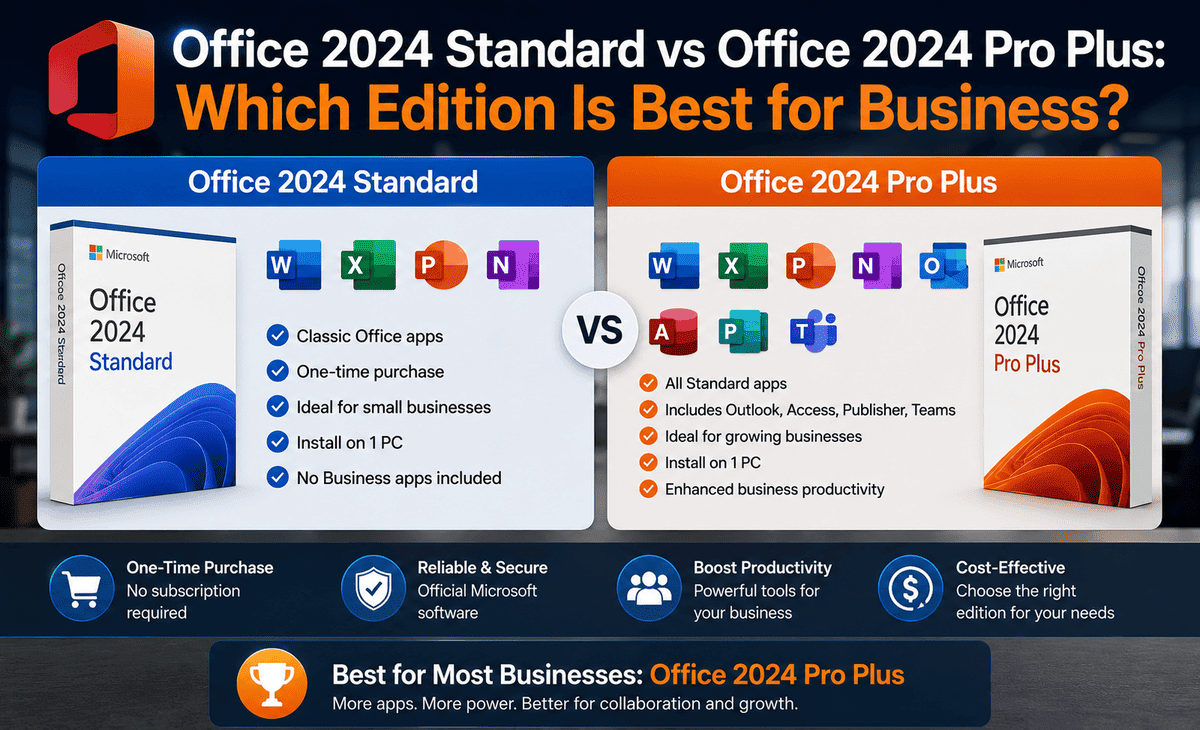
Microsoft Office 2024 Professional Plus is the premium version of the Office suite. It includes core applications like Word, Excel, PowerPoint, Outlook, Access, Publisher, and Teams. It is available as a perpetual one-time purchase, meaning you pay once and own the software permanently with no recurring subscription required.
The Professional Plus designation includes advanced features not found in the Home & Business or Home & Student editions notably full Outlook, Access, and Publisher. For business users, this makes it the clear choice.
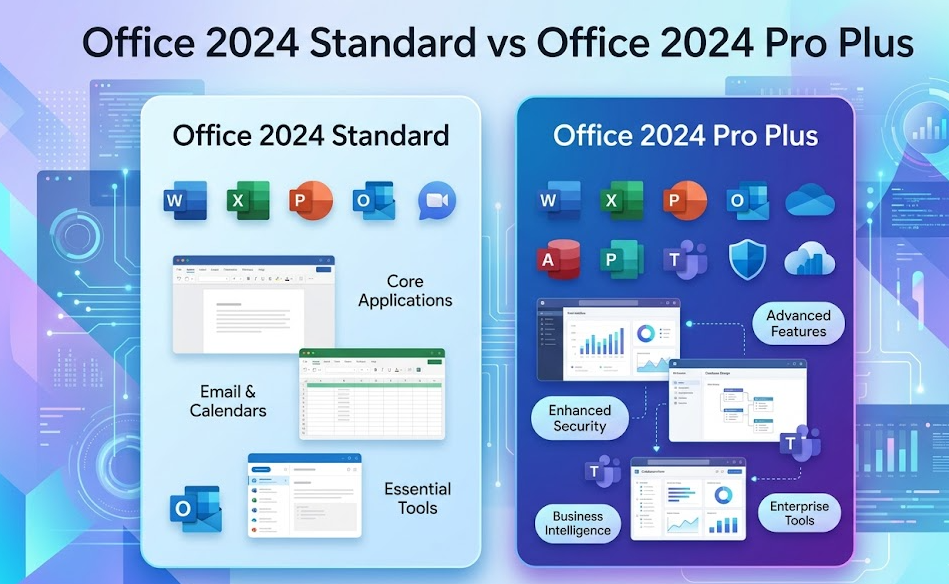
Office 2024 Standard, by contrast, includes Word, Excel, PowerPoint, Outlook, and OneNote but leaves out Access, Publisher, and Teams. For users who only need the everyday essentials, Standard covers the basics at a lower price point. For anyone who needs the complete toolkit for professional or business use, Office 2024 Professional Plus is the clear step up.
Key Features of Office Professional Plus 2024
With enhanced performance, security, and AI-powered tools, this edition helps users streamline workflows and maximize productivity.
The headline features in Office Professional Plus 2024 include new Excel functions like GROUPBY and PIVOTBY for faster data analysis, improved Word document recovery, live camera embedding in PowerPoint, a refreshed Fluent Design interface across all apps, smarter Outlook integration with calendar and email, and deep OneDrive and Teams connectivity. AI-powered productivity through Copilot in Word, Excel, and Outlook automates tasks, while enhanced security delivers improved encryption and phishing protection.
2. Enhanced Tools for Productivity
Collaboration and Communication Tools
One of the biggest advantages of Microsoft Office 2024 Professional Plus over Standard is its built-in collaboration and communication ecosystem. Teams is included as a standalone app, giving businesses a complete platform for video meetings, messaging, and file sharing all without leaving the Office environment.
The must-have Microsoft Office 2024 features are AI-powered tools for faster writing and data analysis, improved real-time collaboration, smarter Outlook and Teams integration, enhanced Excel functions, and polished design and accessibility updates in Word and PowerPoint.
For business teams, this means fewer third-party tools, less switching between apps, and more time spent on actual work. Outlook’s calendar integration with Teams lets you schedule and launch meetings directly from your inbox, while shared OneDrive storage ensures that everyone is always working on the latest version of a document.
Innovative Features in Microsoft Office Professional Plus 2024
GROUPBY and PIVOTBY alone will save power users hours every week by automating data grouping and pivot-style analysis directly in Excel formulas without needing to manually build pivot tables.
Word’s improved session recovery means that if the application closes unexpectedly, your work is automatically restored when you reopen it a small feature that saves enormous frustration. PowerPoint’s live camera embedding lets presenters overlay their live video feed directly onto slides during presentations, making remote and hybrid meetings significantly more engaging.
Access remains exclusive to Office Professional Plus 2024, giving business users the ability to build and manage relational databases without needing external database software. Publisher, also exclusive to this edition, handles design layouts for marketing materials, newsletters, and business publications. These two applications alone are often the deciding factor for businesses comparing Standard versus Professional Plus.
3. Installation and System Requirements
Requirements for MS Office 2024 Professional Plus
To ensure optimal installation and operation of Microsoft Office 2024 Professional Plus, the minimum requirements are: Operating System — Windows 11 or Windows 10 (version 21H2 or later); Processor — dual-core CPU at 1.6 GHz or higher (recommended: quad-core); RAM — at least 4 GB for 64-bit systems (8 GB recommended for optimal performance); Disk Space — at least 4 GB of free disk space for installation (recommended: SSD with 10 GB of free space); Screen Resolution — 1280 x 768 pixels (recommended: Full HD 1920 x 1080 or higher).
Supported browsers include the current version of Microsoft Edge, Chrome, or Firefox. Some features may require .NET 3.5 or 4.6 and higher.
In practice, any computer purchased in the last five or six years will comfortably exceed these requirements. A machine with an 8th-generation Intel Core processor and 8 GB of RAM will run the full suite without any slowdown.
Step-by-Step Guide to Download Office 2024 Professional Plus
Downloading and installing Microsoft Office 2024 Professional Plus is straightforward.
Step 1: Purchase a genuine license from Microsoft’s official website or an authorized reseller. Always purchase from official Microsoft channels or authorized resellers to avoid counterfeit or invalid keys.
Step 2: Sign in to your Microsoft account at office.com/setup and enter your product key when prompted.
Step 3: Click “Install Office” and the setup file will download automatically to your computer.
Step 4: Open the downloaded installer and follow the on-screen prompts. The installation typically completes in 5 to 15 minutes depending on your internet speed.
Step 5: Launch any Office application, sign in with your Microsoft account when prompted, and activation completes automatically over the internet. An internet connection is needed for activation and updates, though applications can operate offline afterward.
4. Comparing Microsoft Office 2024 Professional Plus with Previous Versions
Changes in Features and User Interface
Compared to Office 2021 Pro Plus, the 2024 edition brings meaningful upgrades rather than cosmetic ones. The most significant changes are in Excel, where GROUPBY, PIVOTBY, TEXTSPLIT, VSTACK, and HSTACK functions add powerful new ways to work with data that previously required complex workarounds.
The interface received a Fluent Design refresh throughout all applications, making everything look cleaner and more consistent with Windows 11. MS Office 2024 offers AI features, improved collaboration, and better integration with Microsoft 365, OneDrive, and Teams, making it faster and more efficient than previous versions.
Security improvements are also notable. Office 2024 Professional Plus includes stronger phishing protection in Outlook, improved encryption standards across all apps, and better handling of potentially unsafe macro-enabled documents all important in a business environment where email-based attacks are common.
Benefits of Upgrading from Older Versions
If you are still running Office 2016, 2019, or 2021, upgrading to Microsoft Office Professional Plus 2024 offers concrete benefits beyond new features. The most pressing reason is support. Office 2021 Pro Plus reaches its mainstream support end date in October 2026, after which security patches stop arriving. Office 2024 Professional Plus is supported until October 2029.
Performance is also noticeably improved on modern hardware. Faster performance through optimization for modern CPUs and SSDs means applications launch and respond quicker than older versions that were not optimized for current generation chips and solid-state drives.
For businesses on Office 2019 or older, the jump is especially worthwhile. Three or more full generations of Excel functions, a completely redesigned collaboration workflow through Teams and OneDrive, and a significantly extended support window make the ms office 2024 professional plus upgrade a straightforward business decision.
5. Conclusion and Recommendations
Summary of Benefits
Office 2024 Professional Plus delivers a complete, future-proof productivity suite for business users. It includes every application Standard offers, plus Access and Publisher for database and design work. It brings meaningful Excel upgrades that save real time, improved Word reliability, smarter Outlook and Teams integration, and a modern Fluent Design interface. It is available as a perpetual license for lifetime use on a single device or through volume enterprise licensing for organizational deployment. Security support runs until October 2029.
Is Office 2024 Professional Plus Right for You?
Office 2024 Standard is the right choice if you only need Word, Excel, PowerPoint, and Outlook for everyday personal or light business tasks and you have no need for Access, Publisher, or Teams.
Office 2024 Professional Plus is the right choice if you run a business, manage databases, produce marketing materials, collaborate across teams, or simply want the most complete and long-lasting version of Microsoft Office available today. For anyone who uses Office as a core business tool, the extra applications and extended support make the office 2024 professional plus edition worth every penny.
Whichever edition you choose, always buy from Microsoft or an authorized reseller, keep your installation updated, and pair it with a modern Windows 10 or Windows 11 device for the best experience.









