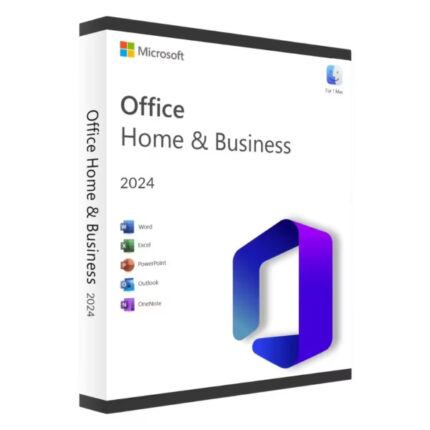
If your Office 2024 product key is being rejected during setup or showing an activation error, you’re not alone and in most cases, the fix is straightforward. This guide walks through the most common causes and the exact steps to resolve each one.
An Office 2024 product key can fail for several reasons: you’re using a key that doesn’t match your installed Office edition, the key has already been used on another device, there’s a typo in the key, your internet connection interrupted activation, or the key itself is not valid. Work through the checklist below to identify and fix the specific cause.
Table of Contents
What Counts as a Valid Office 2024 Product Key?
A standard retail Office 2024 product key is a 25-character alphanumeric code in the format: XXXXX-XXXXX-XXXXX-XXXXX-XXXXX. It is issued once, tied to a specific edition (e.g. Home & Student 2024, Home & Business 2024), and can be activated on a limited number of devices according to its licence terms.
Office 2024 Professional Plus is a different product. It is the commercial/enterprise edition sold under Microsoft’s Volume Licensing programme (also referred to as Office LTSC 2024 Professional Plus). Volume Licence keys including Multiple Activation Keys (MAK) and Key Management Service (KMS) configurations are managed through Microsoft’s Volume Licensing Service Center (VLSC) and behave differently to retail keys. If you purchased an “Office 2024 Pro Plus” key from a third-party seller, read the edition mismatch section below carefully before troubleshooting further.
Most Common Causes — and How to Fix Each One
1. Edition or Version Mismatch
What it looks like: The key is entered but Office returns an error like “This product key doesn’t work” or “The product key you entered is for a different version of Microsoft Office.”
Why it happens: Each Office 2024 edition Home & Student, Home & Business, Professional Plus has its own key pool. A key issued for one edition will not activate a different edition, even if both are “Office 2024.”
How to fix it:
- Open any Office application (e.g. Word 2024).
- Go to File → Account.
- Note the product name shown under “Product Information.”
- Compare this against the edition your key was issued for.
- If they don’t match, you have two options: install the correct Office edition for your key, or obtain a key that matches your installed edition.
Check first: If you downloaded Office from Microsoft’s website, the installer may have defaulted to a specific edition. Reinstalling using the correct edition-specific installer resolves many mismatch errors.
2. Key Already Used or Activation Limit Reached
What it looks like: Error message such as “This product key has already been used” or an activation error code 0xC004C008.
Why it happens: Standard retail Office 2024 licences are intended for use on one device (check your specific licence terms Microsoft’s consumer licence terms govern this). If the key was already activated on another machine, or if it was sold to multiple buyers by an untrustworthy seller, activation will be refused.
How to fix it:
- If this is your own key and you replaced or reinstalled your PC: contact Microsoft Support to explain the situation. Microsoft can review activation history and may reset the activation if the circumstances are legitimate.
- If you recently purchased the key from a third-party seller and it’s already been used: the key may have been fraudulently resold. Contact the seller immediately and request a refund or replacement.
3. Typing Error in the Product Key
What it looks like: The key is rejected as invalid despite being purchased legitimately.
Why it happens: Although Microsoft excludes easily confused characters (the letters I, O, S, and U do not appear in Office product keys), transcription errors especially when reading a printed or photographed key still occur. The number 0 vs letter D, or 8 vs B, are common points of confusion.
How to fix it:
- Re-read the key from its original source (email, card, or product page).
- Re-enter it character by character, pausing after each group of five.
- Copy-paste the key directly from a digital source if possible, to eliminate manual entry errors.
- If your key was in a physical box, check for a digital confirmation email that might also list the key.
4. Internet Connection Issue
What it looks like: Activation stalls, times out, or returns a generic error without a specific code.
Why it happens: Office 2024 activation requires a connection to Microsoft’s activation servers. A dropped connection, VPN interference, firewall rule, or temporary server issue can cause the process to fail.
How to fix it:
- Check your internet connection is active and stable.
- If you are using a VPN, disconnect it and try activation again.
- If you’re on a corporate network, check whether outbound connections to Microsoft activation endpoints are blocked. Your IT team may need to allow access.
- Wait 10–15 minutes and retry Microsoft server outages, while rare, do occur.
Alternative — Telephone Activation:
If online activation repeatedly fails due to connectivity or server issues, use the telephone activation fallback:
- Press Windows + R, type
slui 4, and press Enter. - Select your country or region.
- Call the number shown.
- Follow the automated system to complete activation.
5. Previous or Conflicting Office Installation
What it looks like: The new Office 2024 installation fails to activate, or the product key entry screen never appears.
Why it happens: An existing Office installation (Office 2019, 2021, or even a trial version of Microsoft 365) can interfere with a new installation’s activation process.
How to fix it:
- Use Microsoft’s official Support and Recovery Assistant (SaRA) tool to fully remove the previous Office installation. (Search for “Office uninstall support tool” on Microsoft’s support pages to find the current version.)
- Restart your computer.
- Reinstall Office 2024 cleanly and enter your product key when prompted.
6. Invalid or Counterfeit Key
What it looks like: Immediate rejection with no option to retry, or an error indicating the key is blocked.
Why it happens: Keys purchased from unauthorised sellers, grey market resellers, or file-sharing sites are often invalid, already used, or counterfeit. Microsoft’s activation servers can detect and block known fraudulent keys.
Signs your key may be invalid:
- The price was significantly below market rate.
- The key was delivered instantly by an unknown automated system with no verifiable business behind it.
- Multiple people report the same key not working.
What to do: If the key is confirmed counterfeit, the only resolution is to obtain a legitimate key. Review the seller’s refund policy and, if unresponsive, dispute the charge with your payment provider.
7. Activation Error Codes — What They Mean
If Office shows a specific error code, use this reference:
| Error Code | Meaning | Typical Fix |
|---|---|---|
0xC004C008 | Key has been used too many times | Contact Microsoft Support to review your activation history |
0xC004C003 | Key is blocked | Key may be counterfeit or flagged; contact Microsoft |
0xC004F074 | Could not reach activation server | Check internet connection; try telephone activation |
0x8007007B | Filename/syntax error | Usually a KMS/Volume Licence configuration issue — check server settings |
0xC004E003 | Activation failed (software licensing error) | Run Office repair via Control Panel; reinstall if persistent |
Note: Error codes can vary depending on your Windows version and Office build. If you see a code not listed here, search for it directly on the Microsoft Support site (
support.microsoft.com) using the exact code for official guidance.
For Office 2024 Professional Plus (LTSC/Volume Licence)
Office 2024 Professional Plus is a Volume Licence product. It is not activated using the standard 25-character retail key entry method.
Volume Licence activation uses either:
- KMS (Key Management Service): Activation is handled automatically by a KMS host server within an organisation’s network. Individual users do not enter a product key manually.
- MAK (Multiple Activation Key): A single key with a fixed activation count, managed centrally by an IT administrator.
If you’re an individual user and were sold a standalone “Office 2024 Pro Plus product key,” verify with the seller which activation method the key supports and whether you have access to the correct licence documentation. Volume Licence keys are issued through Microsoft’s Volume Licensing Service Center and are not intended for individual retail sale.
If you’re looking for a legitimate copy of Office 2024 Professional Plus for your organisation, review the product and licensing details carefully before purchasing Digitlogs carries Office 2024 Professional Plus: check the product page for current edition details, compatibility, and delivery information before buying.
Step-by-Step Activation Checklist
Use this checklist before contacting Microsoft Support:
- Confirmed the Office edition matches the key (check File → Account in any Office app)
- Re-entered the key manually, checking for common character errors
- Disconnected VPN and confirmed internet connection is stable
- Tried online activation at least twice with a stable connection
- Removed any previous Office installations using Microsoft’s official uninstall tool
- Tried telephone activation via
slui 4if online activation failed - Confirmed the seller is a recognised, verifiable source
If all steps above are completed and activation still fails, contact Microsoft Support directly at support.microsoft.com/contactus.
When to Contact Microsoft Support
Contact Microsoft if:
- Your key was legitimately purchased and error
0xC004C008persists (activation count may need a reset). - You replaced your device and need to transfer your licence.
- Telephone activation also fails.
- You are unsure whether your licence permits reinstallation on a new PC.
Microsoft Support can review your account and activation history and advise on the appropriate next step.
Conclusion
An Office 2024 product key that isn’t working almost always comes down to one of a handful of causes: edition mismatch, a key already activated elsewhere, a typo, a connectivity issue, or unfortunately an invalid key from an untrustworthy source. Work through the checklist above systematically. If the key is legitimate and the standard fixes don’t resolve the issue, Microsoft Support is the right escalation path.
If you’re looking to purchase Office 2024 and want to avoid activation problems from the start, review the edition, compatibility details, and delivery method on the product page before completing your purchase.
5. FAQ
Q1: Why does Office 2024 say my product key is already used?
This means the key has already been activated on another device, or has reached the activation limit permitted by the licence. If you recently replaced your PC and this is your own key, contact Microsoft Support they can review your activation history and may be able to assist with a legitimate transfer.
Q2: Can I use an Office 2021 product key to activate Office 2024?
No. Product keys are edition-specific and version-specific. An Office 2021 key cannot activate Office 2024, and vice versa. Each Office version has its own distinct key pool.
Q3: What is the difference between an Office 2024 retail key and an Office 2024 Professional Plus key?
Retail Office 2024 editions (Home & Student, Home & Business) are sold to individual consumers and use a standard 25-character product key. Office 2024 Professional Plus (LTSC) is a Volume Licence product sold to organisations through Microsoft’s Volume Licensing programme. It is activated via KMS or MAK, not a standard retail product key. The two are not interchangeable.
Q4: My Office 2024 product key worked before but stopped after reinstalling Windows. What should I do?
Reinstalling Windows can sometimes require re-activation. Try running Office 2024 setup again and entering your key. If it’s rejected as already used, contact Microsoft Support this is a common legitimate scenario and they have a process for it.
Q5: Can I activate Office 2024 without internet access?
Yes. Microsoft provides a telephone activation option. Press Windows + R, type slui 4, press Enter, select your country, and follow the automated instructions. This does not require internet access.
Q6: Does Office 2024 require a Microsoft account to activate?
Office 2024 (one-time purchase / perpetual licence) can be activated using a product key without creating or signing into a Microsoft account. However, signing in to a Microsoft account links your licence to your account, which can make licence recovery easier if you reinstall in future. Microsoft 365 (the subscription product) does require a Microsoft account.
Q7: How do I know if my Office 2024 product key is genuine?
There is no publicly available tool to pre-verify a key before attempting activation. Purchasing from an authorised or reputable seller reduces the risk significantly. If a key is rejected with an error indicating it is blocked (0xC004C003), this often indicates the key has been flagged by Microsoft, which can be a sign of a counterfeit or fraudulently distributed key.
Q8: Office activation says “something went wrong” what does that mean?
This is a generic error often caused by a temporary connection issue, an interrupted download, or a conflict with a previous Office installation. Try: (1) restarting your computer, (2) running Office repair via Control Panel → Programs → Microsoft Office 2024 → Change → Quick Repair, (3) retrying activation. If it persists, use the Microsoft Support and Recovery Assistant tool.
Q9: Can I transfer my Office 2024 product key to a new computer?
This depends on the licence type. Retail perpetual licences for Office 2024 Home & Business, for example, are generally transferable to a new device if you uninstall it from the old one (verify this against Microsoft’s current licence terms for your specific edition, as terms vary). Office 2024 Home & Student is tied to one device and is generally not transferable. Check the licence terms for your specific edition on Microsoft’s website.
Q10: I bought an Office 2024 Pro Plus key cheaply online and it doesn’t work. What are my options?
Contact the seller for a refund or replacement. If unresponsive, dispute the charge with your card issuer or PayPal. Be aware that very low-priced Office keys from unverified sellers carry a high risk of being invalid, counterfeit, or already used. A key that fails with error 0xC004C003 (blocked) is unlikely to become valid regardless of troubleshooting steps.