
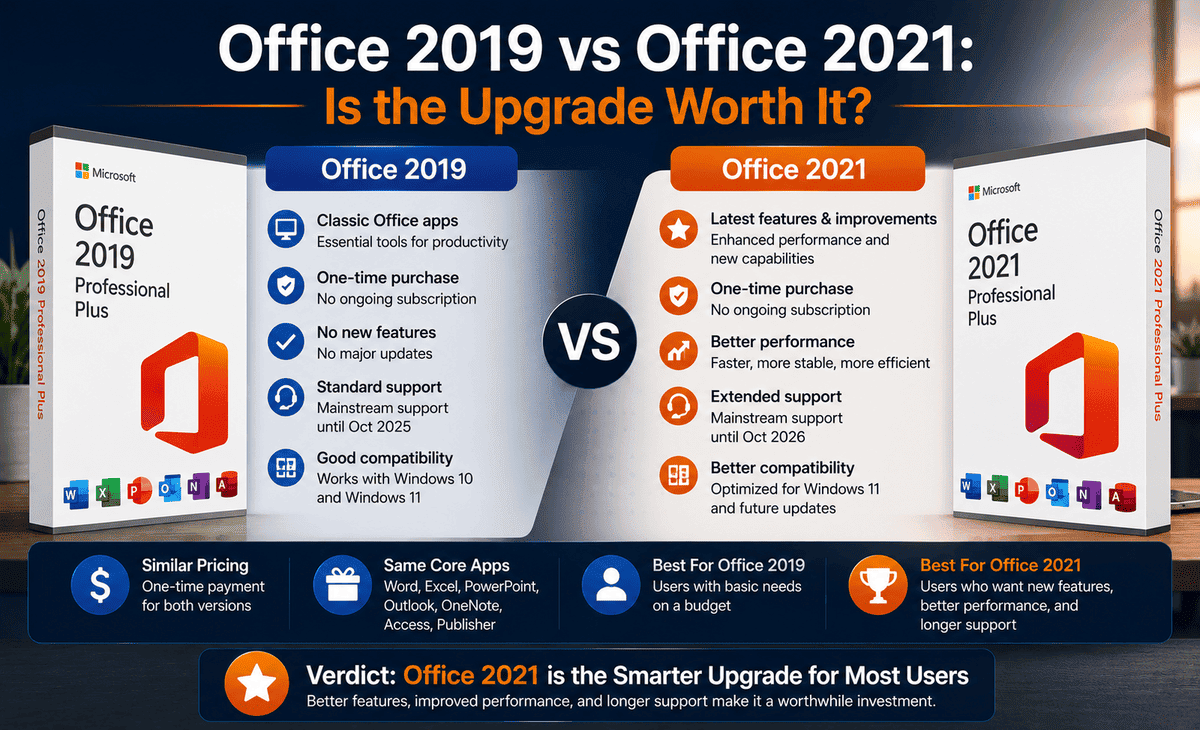
You have been using Microsoft Office 2019 Pro Plus for years. It works fine, it does the job, and you are comfortable with it. Then you hear about Office 2021 Pro Plus and start wondering: should I upgrade? Is it really better, or is it just a newer version with a bigger price tag?
This is a question thousands of people ask, and the answer is not as simple as “newer is always better.” Both versions are one-time purchases, both include the familiar Word, Excel, PowerPoint, and Outlook, and both look very similar at first glance. So what actually changed, and is it worth your money to make the jump?
Table of Contents
This comprehensive comparison guide breaks everything down. We will look at the real differences in features, performance, support, and value, then help you decide whether upgrading from Office 2019 Pro Plus to Office 2021 Pro Plus makes sense for your situation.
What Is Office 2019 Pro Plus?
Office 2019 Pro Plus is the perpetual, one-time-purchase version of Microsoft Office released in 2018. It includes Word, Excel, PowerPoint, Outlook, Access, Publisher, and OneNote.
When it launched, Office 2019 Pro Plus brought several improvements over Office 2016, including new chart types in Excel, improved inking features, better presentation tools in PowerPoint like Morph and Zoom, and a focused inbox in Outlook. It is a solid, capable suite that handles all standard productivity tasks well.
You activate it once with your Office 2019 Pro Plus key and own it permanently no subscription required. However, its mainstream support has already ended, and extended support runs only until October 2025, which is an important consideration we will cover later.
What Is Office 2021 Pro Plus?
Office 2021 Pro Plus is the next perpetual release, launched in October 2021. Like its predecessor, it is a one-time purchase that includes Word, Excel, PowerPoint, Outlook, Access, Publisher, and OneNote.
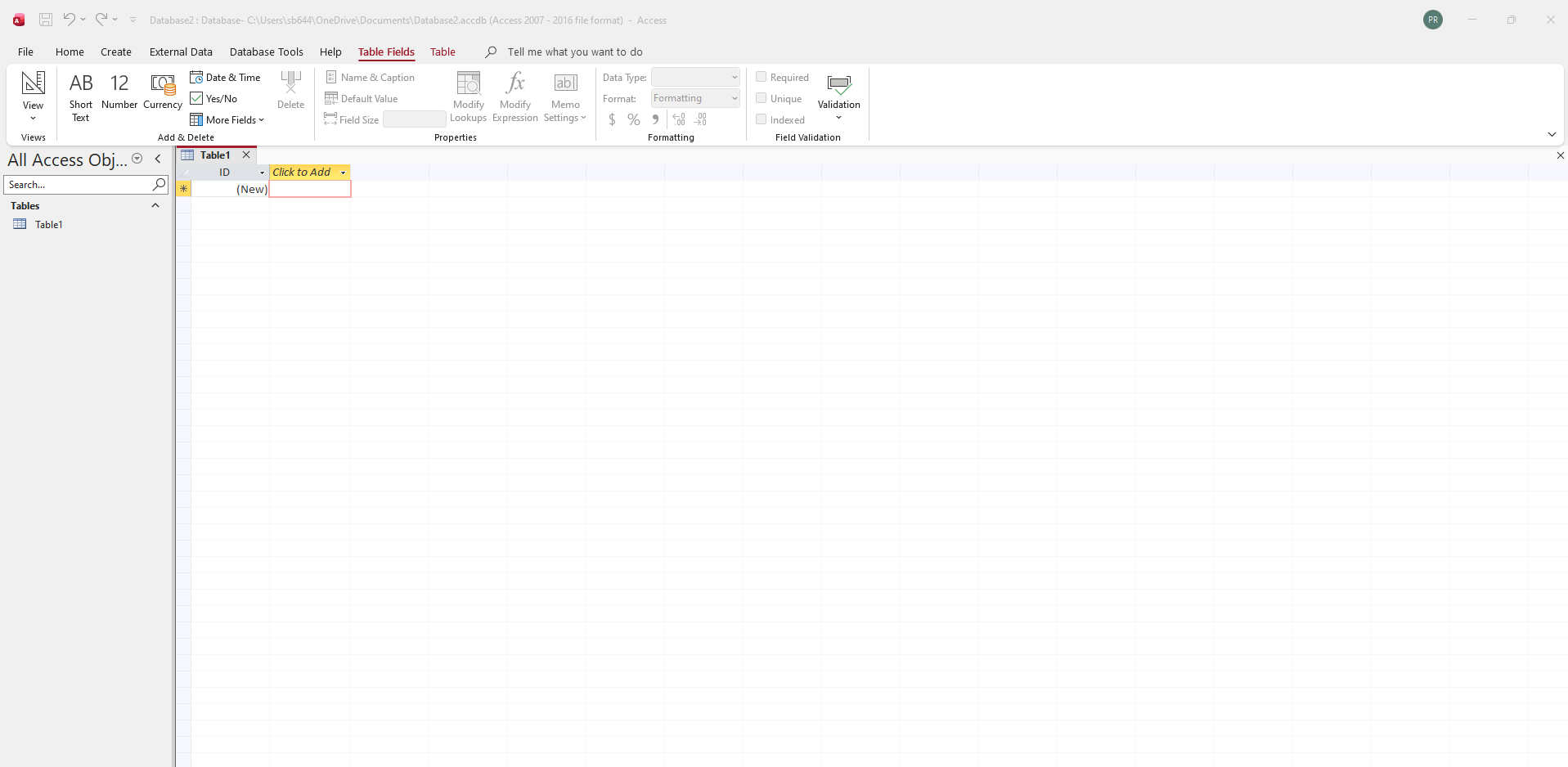
Office 2021 Pro Plus introduced a number of upgrades over the 2019 version. These include powerful new Excel functions like XLOOKUP, dynamic arrays, and the LET function, a refreshed visual design with updated colors and a cleaner interface, real-time co-authoring so multiple people can edit the same document together, dark mode support across apps, and improved performance and accessibility features.
It activates the same way with a one-time key and offers a longer support window, running until October 2026.
Feature Comparison: Office 2019 vs Office 2021
Let us compare the two versions across the areas that matter most.
Excel: The Biggest Difference
If there is one area where Office 2021 Pro Plus clearly pulls ahead, it is Excel. The 2021 version added XLOOKUP, a far more powerful and flexible replacement for the old VLOOKUP function that millions of users relied on. It also introduced dynamic arrays, which let a single formula spill results across multiple cells automatically, and the LET function, which makes complex formulas easier to write and read.
For anyone who works heavily with spreadsheets accountants, analysts, data managers these Excel upgrades alone can justify the move from Microsoft Office 2019 Pro Plus to the 2021 version. They save real time and make complicated tasks much simpler.
Collaboration and Co-Authoring
Office 2021 Pro Plus added real-time co-authoring in Word, Excel, and PowerPoint when files are stored in OneDrive. This means multiple people can edit the same document simultaneously and see each other’s changes live.
Office 2019 Pro Plus has very limited collaboration features by comparison. If you work with a team or frequently share documents for group editing, the 2021 version offers a noticeably better experience.
Interface and Design
Office 2021 Pro Plus features a refreshed, more modern interface with updated colours, rounded corners, and a cleaner look that matches the style of Windows 11. It also includes full dark mode support, which is easier on the eyes during long working sessions.
Office 2019 Pro Plus has the older, more traditional Office look. The difference is mostly cosmetic, but some users find the 2021 design more pleasant to work with.
Performance
Office 2021 Pro Plus is optimized for modern hardware, with faster startup times and smoother performance on newer processors and SSDs. Office 2019 Pro Plus still runs well, but on the latest computers, the 2021 version feels slightly snappier.
Support Timeline
This is a critical practical difference. Office 2019 Pro Plus extended support ends in October 2025, meaning security updates stop after that date. Office 2021 Pro Plus is supported until October 2026. If long-term security matters to you, the 2021 version gives you a longer protected lifespan.
Quick Comparison Table
| Feature | Office 2019 Pro Plus | Office 2021 Pro Plus |
|---|---|---|
| Release Year | 2018 | 2021 |
| Purchase Type | One-time | One-time |
| Excel XLOOKUP & Dynamic Arrays | No | Yes |
| LET Function | No | Yes |
| Real-Time Co-Authoring | Limited | Yes |
| Dark Mode | No | Yes |
| Modern Interface | No | Yes |
| Performance on New Hardware | Good | Better |
| Support End Date | October 2025 | October 2026 |
Step-by-Step: How to Decide If You Should Upgrade
Follow these steps to make the right choice for your needs.
Step 1 — Check your support timeline. If you are on Office 2019 Pro Plus, remember its support ends in October 2025. If that date has passed or is approaching, upgrading is strongly recommended to keep receiving security updates.
Step 2 — Evaluate how you use Excel. If you work with spreadsheets often and would benefit from XLOOKUP, dynamic arrays, and the LET function, the upgrade is well worth it. If you only use Excel for basic lists and simple math, the difference matters less.
Step 3 — Consider your collaboration needs. If you regularly co-author documents with others, Office 2021 Pro Plus offers a much better experience. If you work solo, this matters less.
Step 4 — Think about your hardware. If you have a newer computer with Windows 11, the 2021 version takes better advantage of modern performance. On older machines, both run similarly.
Step 5 — Weigh the cost against the benefits. If the price difference is small and you value the new features and longer support, upgrade. If your 2019 version meets all your needs and the support date is not a concern yet, you can wait.
FAQ
Is Office 2021 Pro Plus worth upgrading to from Office 2019 Pro Plus?
It depends on how you use Office. If you work heavily in Excel, collaborate with others, or want the longest support timeline, the upgrade is worth it thanks to XLOOKUP, dynamic arrays, co-authoring, and support through October 2026. If you only do basic tasks, Office 2019 Pro Plus may still be sufficient for now.
What is the biggest difference between Office 2019 and Office 2021?
The biggest difference is in Excel. Office 2021 Pro Plus adds XLOOKUP, dynamic arrays, and the LET function, which dramatically improve spreadsheet work. It also adds real-time co-authoring, a modern interface, dark mode, and a longer support window compared to Microsoft Office 2019 Pro Plus.
Are Office 2019 and Office 2021 both one-time purchases?
Yes. Both Office 2019 Pro Plus and Office 2021 Pro Plus are perpetual licenses that you buy once and own permanently. Neither requires a subscription. You activate each with a one-time product key.
When does Office 2019 Pro Plus support end?
Extended support for Office 2019 Pro Plus ends in October 2025. After that date, it no longer receives security updates, which means continuing to use it could expose you to security risks. This is one of the main reasons to consider upgrading.
Can I keep using my Office 2019 Pro Plus key after upgrading?
Your Office 2019 Pro Plus key only activates the 2019 version. To use Office 2021 Pro Plus, you need a separate Office 2021 Pro Plus key. The old key remains valid for reinstalling the 2019 version if you ever need to.
Conclusion
So, is upgrading from Office 2019 Pro Plus to Office 2021 Pro Plus worth it? The honest answer is: it depends on how you work.
If you spend a lot of time in Excel, the new XLOOKUP, dynamic arrays, and LET functions alone make the upgrade genuinely worthwhile. If you collaborate with others, the real-time co-authoring is a major improvement. And with Office 2019 Pro Plus support ending in October 2025, the longer support window of the 2021 version is a strong reason to make the move regardless of features.
On the other hand, if you only use Office for basic documents and simple spreadsheets, and the support deadline is not yet a pressing concern, Microsoft Office 2019 Pro Plus can continue serving you well for a while longer.
Assess your real needs, consider the support timelines, and buy your Office 2021 Pro Plus key from a trusted source if you decide to upgrade. Whether you move up to 2021 or stay on 2019, the goal is the same: a reliable Office suite that fits the way you work. Choose what serves you best, and you cannot go wrong.









