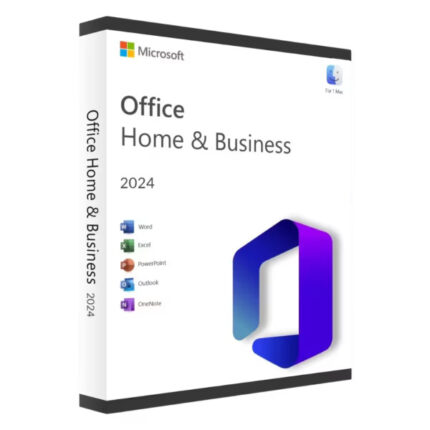
Office 2021 Pro Plus keys are easy to find and cheap to buy. You can get Word, Excel, PowerPoint, Outlook, Access and Publisher for a one-time payment, with no subscription. What most listings leave out is that Microsoft stopped supporting Office 2021 on 13 October 2026.
That doesn’t make it useless. It does change who should buy it. This guide covers what Office 2021 Pro Plus includes, what end of support really means for you, how it compares with Office 2024 and Microsoft 365, and how to install and activate it properly.
In short
- What it is: Office Professional Plus 2021 is a one-time-purchase Office suite for Windows PCs, with Word, Excel, PowerPoint, Outlook, OneNote, Access and Publisher.
- Support status: security updates and support ended on 13 October 2026. The apps still work, but new security holes won’t be fixed.
- Still a good buy for: offline PCs, personal use and tight budgets.
- Choose Office 2024 instead if you email files to clients or handle business data. It’s supported until October 2029.
- Ready? Get Office 2021 Pro Plus or Office 2024 Pro Plus.
What is Office 2021 Pro Plus?
Office 2021 Pro Plus, officially Office LTSC Professional Plus 2021, is the most complete edition of Office 2021. Microsoft released it in September 2021 for businesses buying through volume licensing, which is why you won’t find it on Microsoft’s consumer store. It reaches individual buyers through licence resellers.
It’s a perpetual licence: you pay once and keep using that version. It runs on Windows only. Mac users need a different edition.
| App | Pro Plus 2021 | Professional 2021 | Home & Business 2021 | Home & Student 2021 |
|---|---|---|---|---|
| Word, Excel, PowerPoint | Yes | Yes | Yes | Yes |
| OneNote | Yes | Yes | Yes | Yes |
| Outlook | Yes | Yes | Yes | No |
| Access | Yes | Yes | No | No |
| Publisher | Yes | Yes | No | No |
| Runs on Mac | No | No | Yes | Yes |
| Sold by | Volume licensing, resellers | Retail | Retail | Retail |
A note on Publisher: Microsoft retired Publisher in October 2026. It still opens in Office 2021, but there will be no more fixes, and newer Office versions don’t include it. If you depend on Publisher files, save them as PDF or rebuild them in Word now, so you’re not stuck later.
Office 2021 end of support: what changed on 13 October 2026
Microsoft gave Office 2021 five years of support under its fixed lifecycle policy. According to the Office LTSC 2021 lifecycle page, that period ended on 13 October 2026.
Sept 2021
Office LTSC 2021 (Pro Plus) released
13 Oct 2026
Office 2021 support ends: no more security updates
Oct 2029
Office LTSC 2024 support ends
What stopped
- Security updates for new vulnerabilities
- Bug fixes and quality updates
- Technical support from Microsoft
- Any paid extension (there isn’t one)
What still works
- Every app opens, edits, saves and prints
- Your licence and activation stay valid
- Files stay compatible with newer Office
- Updates released before 13 Oct 2026
The real risk is email attachments. Most attacks on Office arrive as a Word or Excel file that exploits a flaw in the app. When a new flaw is found from now on, Microsoft 365 and Office 2024 get a fix, and Office 2021 doesn’t. The longer you use it, the more of those unfixed flaws build up.
Microsoft’s own advice is to move to Microsoft 365 or, for PCs that must stay offline, to Office LTSC 2024.
Is Office 2021 Pro Plus still worth buying in 2026?
For some people, yes. It comes down to where your files come from and what’s at stake if something goes wrong.
Still a good fit
- A PC that’s mostly or fully offline
- Writing your own documents, budgets and letters
- A spare PC, a kids’ homework PC or a shop back-office PC
- A tight budget where the alternative is no Office at all
- Older hardware that runs 2021 smoothly
Choose Office 2024 instead
- You open files emailed by clients or strangers
- You use Outlook for business email
- You handle customer, payroll or medical data
- Your clients or insurer expect supported software
- You want the PC set up once for the next three years
Two real-world examples
- Ravi, a retired teacher, writes letters and keeps a household budget in Excel on a PC he rarely uses for email. Office 2021 Pro Plus costs him a fraction of a subscription and does everything he needs. Good fit.
- A six-person accountancy practice sends and receives client spreadsheets all day through Outlook. One malicious attachment could expose every client’s data. They should choose Office 2024 Pro Plus or Microsoft 365.
Office 2021 vs Office 2024 vs Microsoft 365
| Office 2021 Pro Plus | Office 2024 Pro Plus | Microsoft 365 Personal | |
|---|---|---|---|
| How you pay | One-time | One-time | $99.99 a year |
| Security updates | Ended 13 Oct 2026 | Until Oct 2029 | Ongoing |
| New features | None | None after launch | Added regularly |
| Copilot (AI) | No | No | Yes |
| Apps | Word, Excel, PowerPoint, Outlook, OneNote, Access, Publisher | Word, Excel, PowerPoint, Outlook, OneNote, Access | Word, Excel, PowerPoint, Outlook, OneNote and more |
| Cloud storage | None included | None included | 1 TB OneDrive |
| Works offline | Yes | Yes | Yes, with regular sign-in |
| Mac | No | No | Yes |
Microsoft 365 Personal price from Microsoft’s US store. For comparison, Microsoft sells the closest one-time retail editions, Office Home 2024 and Home & Business 2024, at $179.99 and $249.99. Prices checked October 2026.
If you want to pay once and keep your PC supported for years, Office 2024 Professional Plus is the natural step up. If you want AI tools, cloud storage and a Mac version, Microsoft 365 is the better fit, at a yearly cost.
What’s new in Office 2021 Pro Plus (features that matter)
Office 2021 was a big step up from Office 2019, especially in Excel. These are the features you’ll actually use.
Excel: XLOOKUP, dynamic arrays and LET
XLOOKUP replaces VLOOKUP. It searches in any direction, doesn’t break when you insert a column, and lets you set your own “not found” message. Here’s a stock list where a code typed in D2 pulls the right price into E2:
| A | B | C | D | E | |
|---|---|---|---|---|---|
| 1 | Code | Item | Price | Find | Price |
| 2 | P-101 | Paper | $24.50 | P-1042 | $189.003 |
| 3 | P-102 | Toner | $68.00 | ||
| 4 | P-103 | Desk lamp | $39.90 | ||
| 5 | P-104 | Chair | $189.00 | ||
| 6 | P-105 | USB-C hub | $29.99 |
- 1The formula: look up D2 in the codes (A2:A6) and return the matching price (C2:C6), or “Not found”.
- 2Type any code here. Change it to P-102 and the price updates instantly.
- 3The result: $189.00, the price of the chair.
Excel 2021 also adds dynamic arrays (one formula fills a whole range, with functions like FILTER, SORT and UNIQUE), LET for naming parts of a long formula, and XMATCH.
Word, PowerPoint and Outlook
- Word: dark mode for the page itself, Line Focus for distraction-free reading, and a built-in Translator.
- PowerPoint: record a presentation with your webcam video and ink, and sketched-style shapes.
- Outlook: faster instant search and one-click message translation.
- Everywhere: a library of free stock images and icons, OpenDocument (ODF 1.3) support, and real-time co-authoring on files saved to OneDrive or SharePoint.
What it doesn’t have: Copilot or any AI writing or design tools. Those are Microsoft 365 features. Office 2021 also won’t get new features, since it’s a fixed release. If a seller describes Office 2021 as “AI-powered,” they’re wrong.
Office 2021 Pro Plus system requirements in 2026
Windows
11 or 10
Not Windows 7 or 8.1
Processor
1.1 GHz
2 cores or more
Memory
4 GB
RAM
Disk space
4 GB
Free space
- Display: 1280 × 768 or higher. 4K screens need the 64-bit version.
- 64-bit or 32-bit: choose 64-bit unless you rely on an old add-in that only works in 32-bit.
- Internet: needed to download, install and activate. Daily use works offline.
- Windows 10 note: Windows 10 itself is past its main support date, so a PC still on it has two unsupported layers. If you’re setting up a PC for years of use, Windows 11 plus Office 2024 is the safer pairing.
Office 2021 Pro Plus licence types explained
Search for an Office 2021 Pro Plus key and you’ll find prices from a few dollars upwards, and the keys aren’t all the same. Here’s what’s actually on sale.
Retail-bind key
Activates online and links to your Microsoft account. You download Office from your account page and can reinstall it later from the same place.
Easiest for home users
Volume (MAK) key
The key type Pro Plus was built for. Activates online, installed with Microsoft’s Office Deployment Tool rather than office.com.
Fine, with the right install steps
Phone-activation key
Online activation fails and you’re told to call Microsoft. Often a sign the key has already been used too many times.
Avoid
What about “3-device” keys? Unless the seller clearly says otherwise, one Office 2021 Pro Plus key activates one PC. A key advertised for several devices is usually either a volume key with spare activations, which can run out, or a misleading listing.
Red flags
- “Lifetime, unlimited PCs” for a few dollars
- Keys that only activate by phone
- No company name, address or registration
- Keys sent as a photo or screenshot
- “Activator” tools or scripts included
Good signs
- A registered company you can look up
- Licence type stated before you pay
- Delivery by email with an invoice
- Online activation with help if it fails
- A written money-back guarantee
Buying for a business in India? Ask for a GST invoice
A GST-registered business can claim input tax credit only with a proper GST invoice from a GST-registered seller. Check the seller’s GSTIN on the invoice. Sellers based outside India usually can’t issue one, so ask before you buy if the credit matters.
What you get when you buy from us
Office 2021 Pro Plus
Word, Excel, PowerPoint, Outlook, OneNote, Access and Publisher. One-time payment.
- Best for offline and personal-use PCs
- Instant email delivery
- Free activation support
How to install and activate Office 2021 Pro Plus
Your key type decides the route. Retail-bind keys install from your Microsoft account; volume (MAK) keys install with Microsoft’s Office Deployment Tool. Trying a volume key at office.com is the most common reason people think their key “doesn’t work.”
Before you start: remove older Office
Uninstall any older Office version and any Microsoft 365 trial that came with the PC: open Settings > Apps > Installed apps, find Microsoft Office or Microsoft 365, and uninstall. Restart afterwards. Leftover trials are the main cause of install errors.
Route 1: Retail-bind key
- 1
Redeem your key
Go to setup.office.com, sign in with your Microsoft account (or create one), and enter the 25-character key.
- 2
Download Office
Open your Microsoft account’s Services & subscriptions page, find Office Professional Plus 2021 and select Install.
- 3
Run the installer
Open the downloaded file and wait for “You’re all set.” It usually takes 5 to 15 minutes.
- 4
Confirm activation
Open Word, select File > Account, and check it says Product Activated.
Route 2: Volume (MAK) key with the Office Deployment Tool
- 1
Download the Office Deployment Tool
Get it free from the Microsoft Download Center, run it, and extract it to a new folder such as
C:\ODT. - 2
Create configuration.xml
In that folder, create a text file called
configuration.xmland paste the settings below, with your key in place of the Xs. - 3
Run the installer
Press Win + X, then A to open Terminal (Admin). Go to the folder and run the setup command.
- 4
Confirm activation
Open Word, select File > Account, and check it says Product Activated.
<Configuration>
  <Add OfficeClientEdition="64" Channel="PerpetualVL2021">
    <Product ID="ProPlus2021Volume" PIDKEY="XXXXX-XXXXX-XXXXX-XXXXX-XXXXX">
      <Language ID="en-us" />
      <ExcludeApp ID="Teams" />
    </Product>
  </Add>
  <RemoveMSI />
  <Display Level="Full" AcceptEULA="TRUE" />
</Configuration>
- 1Run setup with your configuration file. Office installs exactly as the file describes.
- 2Optional check:
ospp.vbs /dstatusshows the installed licence. If it isn’t activated yet, runcscript ospp.vbs /act. - 3LICENSED means Office is activated and ready to use.
Check activation in any Office app
Account
Product Information
- 1Product Activated confirms your key worked. If it says “Activation Required,” see the fixes below.
- 2The product name should say Professional Plus 2021. Anything else means the wrong edition installed.
- 3Change Product Key lets you enter a different key without reinstalling.
Common install and activation problems
Problem
office.com says “This product key can’t be used to install a retail version of Office.”
Fix
You have a volume (MAK) key. Use Route 2 with the Office Deployment Tool instead of office.com.
Problem
“We can’t install the 64-bit version of Office because we found 32-bit Office programs.”
Fix
Uninstall all older Office versions first, or change OfficeClientEdition to "32" in configuration.xml to match.
Problem
A red “Unlicensed Product” or “Activation Required” bar appears.
Fix
Remove leftover Microsoft 365 trials in Settings > Apps, then enter your key in File > Account > Change Product Key.
Problem
Office asks you to activate by phone.
Fix
Online activation failed, usually because the key has hit its activation limit. Don’t phone; contact the seller for a replacement or refund.
Still using Office 2021? How to stay safer
If Office 2021 is right for you, a few settings close the most common attack routes. Open any Office app, then go to File > Options > Trust Center > Trust Center Settings.
- 1Open Protected View. Files from the internet and email open read-only, in a sandbox.
- 2Keep all three boxes ticked. Only select “Enable Editing” on files you trust.
- 3In Macro Settings, choose “Disable VBA macros with notification” so no macro runs without asking.
- Keep Windows fully updated. Windows security patches still block some attacks that target Office.
- Run a reputable antivirus. It catches many malicious documents before they open.
- Be wary of unexpected attachments. Preview them in your browser or email app before opening in Office.
- Set an upgrade date. Plan to move to Office 2024 or Microsoft 365 when your needs change, and convert any Publisher files now.
Office 2021 Pro Plus or Office 2024 Pro Plus: which should you buy?
Question 1
Is the PC mostly offline, or used only for your own files?Question 2
Do you want AI tools, cloud storage or a Mac version?Result
You email files, run a business or want years of security updatesOffice 2021 Pro Plus
One-time licence with Word, Excel, PowerPoint, Outlook, OneNote, Access and Publisher. Best for offline and personal-use PCs.
Get Office 2021 Pro PlusOffice 2024 Pro Plus
One-time licence with security updates until October 2029. The safer choice for freelancers and small businesses.
Get Office 2024 Pro PlusFrequently asked questions
Is Office 2021 Pro Plus still supported?
No. Microsoft ended support for Office 2021, including Office LTSC Professional Plus 2021, on 13 October 2026. There are no more security updates, bug fixes or technical support, and Microsoft offers no paid extension. Office 2024 Pro Plus is supported until October 2029.
Will Office 2021 stop working after October 2026?
No. Word, Excel, PowerPoint and the other apps keep working, your activation stays valid and your files open normally. What changes is security: new vulnerabilities found from now on won’t be fixed, so opening files from unknown sources becomes riskier over time.
Is Office 2021 Pro Plus a lifetime licence?
Yes, in the sense that it’s a perpetual licence. You pay once and can use Office 2021 for as long as you like on the PC you activate it on. It doesn’t include upgrades to newer versions, and support ended in October 2026.
What’s the difference between Office 2021 Pro Plus and Office 2021 Professional?
They include the same apps: Word, Excel, PowerPoint, Outlook, OneNote, Access and Publisher. Professional Plus is the volume-licensing edition built for businesses and usually installed with the Office Deployment Tool. Professional 2021 is the retail edition sold directly to consumers.
Can I install Office 2021 Pro Plus on a Mac?
No. Office 2021 Pro Plus runs on Windows only, and Access and Publisher don’t exist for Mac. Mac users need Office Home & Business 2021 or 2024 for Mac, or a Microsoft 365 subscription, which covers both Windows and Mac.
Can I use one Office 2021 Pro Plus key on more than one PC?
Usually not. A standard Office 2021 Pro Plus key activates one PC. Some volume keys have extra activations, but they’re shared and can run out. If you need Office on several PCs, buy one key per PC or consider Microsoft 365.
Does Office 2021 Pro Plus include Teams or Copilot?
It doesn’t include Copilot or any AI features; those are part of Microsoft 365. Teams isn’t part of the suite you need to install either. If you use Teams, download the free Teams app from Microsoft separately.
Can I upgrade from Office 2021 to Office 2024 for free?
No. Office 2021 is a perpetual licence for that version only, so moving to Office 2024 means buying a new Office 2024 licence. Uninstall Office 2021 first, then install Office 2024. Your documents and files stay compatible.
Why won’t my Office 2021 Pro Plus key install from office.com?
Most Office 2021 Pro Plus keys are volume (MAK) keys, which office.com doesn’t accept. Install them with Microsoft’s free Office Deployment Tool and a configuration file instead, as shown in this guide. Retail-bind keys are the ones that redeem at office.com.
Is Office 2021 Pro Plus safe to use for business in 2026?
It’s risky for most businesses. Without security updates, a malicious email attachment could exploit a flaw that will never be fixed in Office 2021. Businesses that handle client data or use Outlook daily should choose Office 2024 Pro Plus or Microsoft 365.
The bottom line
Office 2021 Pro Plus still does everything it did last month, and it’s still the cheapest way to get the full Office desktop suite. It just won’t receive another security fix. For an offline PC or personal documents, that’s an easy trade for the price. For anyone emailing files to clients, Office 2024 Pro Plus buys three more years of protection.
Not sure which suits you? Check our FAQ or contact our support team, and we’ll help you choose before you buy.