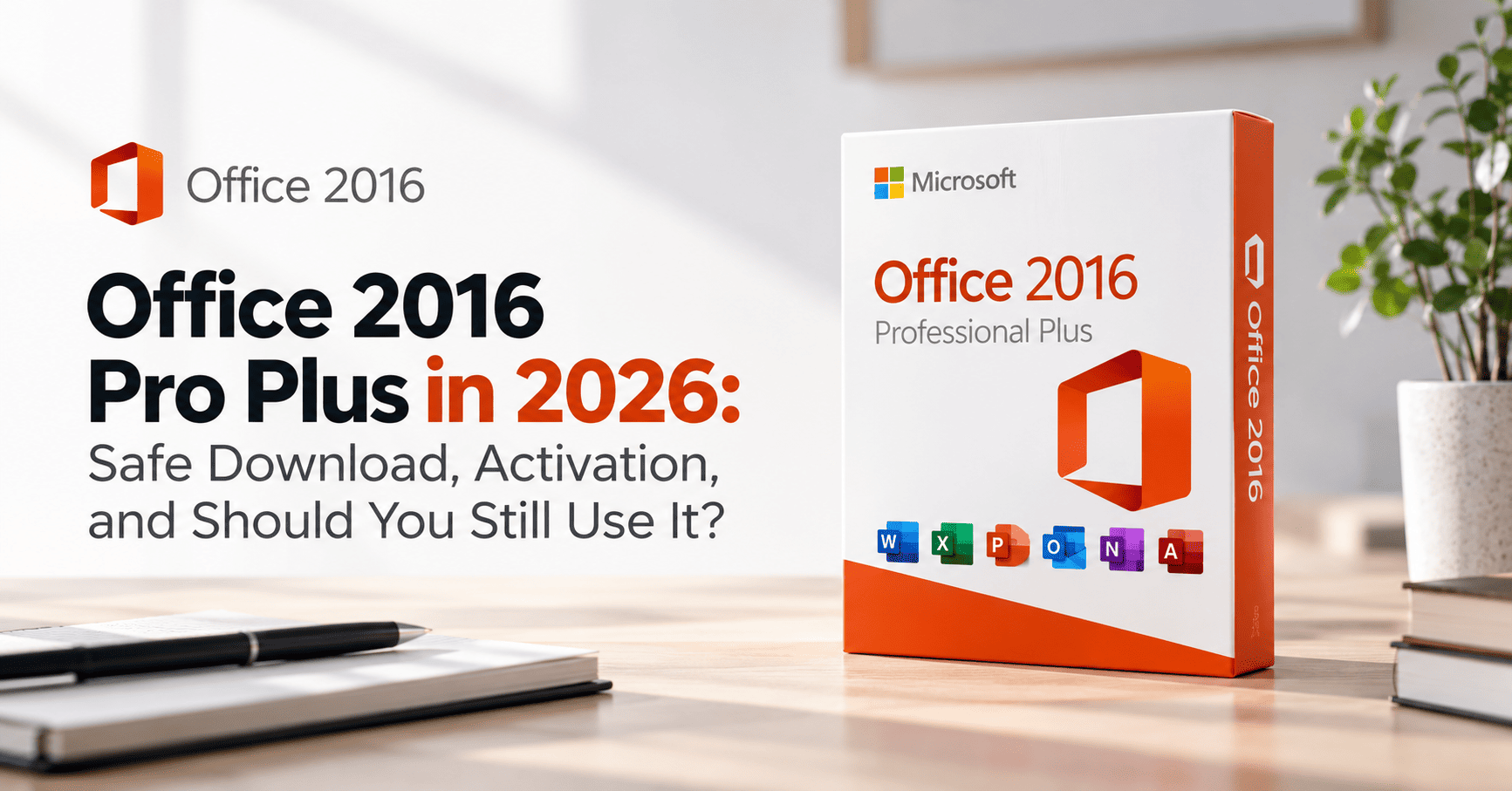
Search for “Office 2016 Pro Plus download,” and you’ll notice something odd about the results. Many aren’t guides at all. You’ll find “activation code” pages, download guides planted on unrelated websites, and “pre-activated” installers that come with an unwanted extra: malware that runs alongside Office.
There are legitimate ways to get Office 2016 Pro Plus, and for some people it’s still the right choice. This guide covers where to download it safely, how to make your key work, what Microsoft’s end of support means for you, and when you’d be better off with a newer version.
In short
- What it is: Office Professional Plus 2016 is a one-time-purchase Office suite for Windows, with Word, Excel, PowerPoint, Outlook, OneNote, Access and Publisher.
- Safe downloads: your Microsoft account, your seller’s official link, Microsoft’s Volume Licensing Service Center, or a verified original disc or ISO. Never a “free” or “pre-activated” download.
- Support status: security updates ended on 14 October 2025, and Microsoft stopped supporting Office 2016 with Microsoft 365 services in October 2023.
- Still a good fit for: old Access databases and macros, offline PCs, and matching a client who still uses 2016.
- Everyone else: Office 2024 is the only one-time Office version still getting security updates. Get Office 2016 Pro Plus or Office 2024 Pro Plus.
What is Office 2016 Pro Plus?
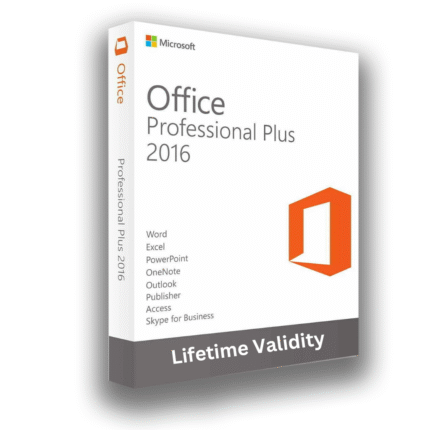
Office 2016 Pro Plus, officially Microsoft Office Professional Plus 2016, is the most complete edition of Office 2016. Microsoft released it in September 2015 for businesses buying through volume licensing. Today it reaches individual buyers through licence resellers.
It’s a perpetual licence for Windows only: pay once, keep using that version. It originally shipped with Skype for Business too, but Microsoft retired that years ago and replaced it with Teams.
| App | Pro Plus 2016 | Professional 2016 | Home & Business 2016 | Home & Student 2016 |
|---|---|---|---|---|
| Word, Excel, PowerPoint | Yes | Yes | Yes | Yes |
| OneNote | Yes | Yes | Yes | Yes |
| Outlook | Yes | Yes | Yes | No |
| Access | Yes | Yes | No | No |
| Publisher | Yes | Yes | No | No |
| Installer type | MSI (volume) | Click-to-Run | Click-to-Run | Click-to-Run |
| Runs on Mac | No | No | Yes | Yes |
Where to download Office 2016 Pro Plus safely
Microsoft no longer sells Office 2016, but there are still four legitimate ways to get the installer. Which one you use depends on where your licence came from.
1. Your Microsoft account
If your key was redeemed at office.com/setup, sign in to your Microsoft account dashboard, open Office apps, and select Install. You can choose the language and 32-bit or 64-bit first.
Safe: straight from Microsoft
2. Your seller’s official link
Licence stores normally send an installer or ISO link with your key. Before downloading, check the link points to a Microsoft domain or the seller’s own site, not a file-sharing site.
Safe if the link is official
3. Volume Licensing Service Center
Businesses with a Microsoft volume agreement download the Office 2016 Pro Plus ISO from Microsoft’s Volume Licensing Service Center (VLSC).
Safe: business licences only
4. Your original disc or ISO
Kept the DVD or ISO from an earlier purchase? You can reuse it. If you copied it from somewhere, check its checksum first (shown below).
Safe once verified
Check an ISO before you install it
A checksum is the file’s fingerprint: change one byte and it changes completely. If your source publishes a SHA-256 checksum, compare it with your file in PowerShell before installing.
- 1Run
Get-FileHashon the downloaded ISO. Change the file name to match yours. - 2Compare this value with the checksum your source publishes. If even one character differs, delete the file.
Signs a “free Office 2016 download” is dangerous
- It says no product key is needed, or calls itself “pre-activated”
- The file sits on a file-sharing site or on a page that has nothing to do with software
- The instructions tell you to turn off your antivirus first
- It comes with an “activator”, “KMS tool” or loader to run after install
- The page is a “guide” with download buttons but no company behind it
These downloads are a common way ransomware and password stealers get onto home and office PCs. Even when Office itself works, you’re running a tool built by someone you don’t know, with full access to your computer. A legitimate licence costs far less than recovering from that.
Office 2016 end of support: what it means in 2026
Office 2016 has now been out of support for a year. Two dates matter, and most sellers mention neither.
Sept 2015
Office 2016 released
Oct 2020
Mainstream support ends
Oct 2023
Microsoft 365 connection support ends
14 Oct 2025
All support and security updates end
Oct 2029
Office 2024 support ends
- No more security updates. Since 14 October 2025, new security holes in Office 2016 stay open. Microsoft offers no paid extension.
- Microsoft 365 connections aren’t supported. According to Microsoft’s Office and Windows support matrix, Office 2016 stopped being supported for connecting to Microsoft 365 services in October 2023. Outlook 2016 with a Microsoft 365 work mailbox can stop syncing without warning.
- Windows 11 is unofficial now. Microsoft made a special exception allowing Office 2016 on Windows 11, and that exception ended in October 2025. It still installs and runs, but you’re on your own if something breaks.
- What still works: every app opens, edits, saves and prints. Your licence stays valid, and your files open in newer Office versions.
Should you still use Office 2016 Pro Plus?
For a specific group of people, yes. For most others, there are better options.
Still a good fit
- An old Access database or VBA macro that only works in 2016
- Matching a client or employer that still runs Office 2016
- A PC that’s offline or only used for your own files
- A training lab or older hardware
Choose something newer
- You use Outlook with a Microsoft 365 work mailbox
- You regularly open files sent by clients
- You handle customer or financial data
- You’re setting up a PC for the next few years
Two real-world examples
- Meera runs a hardware shop. Her stock system is an Access database a local developer built in 2017, full of VBA code. It runs on a back-office PC that never touches email. Office 2016 Pro Plus keeps that system running cheaply. Good fit.
- Arjun is a freelance designer whose agency client gave him a Microsoft 365 mailbox. Outlook 2016 isn’t supported with it, and he opens client files every day. He’s better off with Office 2024 or Microsoft 365.
Office 2016 vs Office 2021 vs Office 2024 vs Microsoft 365
| Office 2016 Pro Plus | Office 2021 Pro Plus | Office 2024 Pro Plus | Microsoft 365 | |
|---|---|---|---|---|
| Security updates | Ended 14 Oct 2025 | Ended 13 Oct 2026 | Until Oct 2029 | Ongoing |
| Microsoft 365 connection | Unsupported since 2023 | Unsupported now | Supported | Supported |
| How you pay | One-time | One-time | One-time | Yearly or monthly |
| Installer | MSI | Click-to-Run | Click-to-Run | Click-to-Run |
| Includes Publisher | Yes | Yes | No | No (retired) |
| XLOOKUP, dynamic arrays | No | Yes | Yes | Yes |
| Copilot (AI) | No | No | No | Yes |
| Mac | No | No | No | Yes |
The short version: Office 2024 is now the only one-time Office version still receiving security updates. If you’re weighing 2016 against 2021, note that 2021’s support has ended too. Our Office 2021 Pro Plus guide covers what that means. For a PC you’ll use for years, Office 2024 Professional Plus is the safer one-time buy.
MSI vs Click-to-Run: why your install might fail
This is the part that trips most people up. Office 2016 Pro Plus (volume) uses Microsoft’s older MSI installer. Retail Office 2016, and every version since, uses Click-to-Run. The two don’t mix well on the same PC.
MSI installer
Office 2016 Pro Plus (volume ISO)
What you’ll see: an ISO or DVD with setup.exe and a ProPlus.WW folder. Setup asks for your key and offers Install Now or Customize.
- Works offline once you have the ISO
- Activates with a MAK or KMS key
- Can’t share a PC with Click-to-Run Office
Click-to-Run installer
Retail Office 2016, and 2019 onwards
What you’ll see: a small online installer from your Microsoft account that downloads Office as it installs.
- Needs internet during installation
- Activates with a retail key linked to your account
- Blocked if an MSI Office is already installed
The fix for almost every “can’t install” error is the same: remove every other Office version first, including the Microsoft 365 trial most new laptops ship with. Use Settings > Apps > Installed apps, or Microsoft’s uninstall tool from its Uninstall Office from a PC page if the normal uninstall leaves pieces behind. Also match the bitness: 32-bit Office can’t install over 64-bit, and vice versa.
Office 2016 Pro Plus keys explained
Not every Office 2016 Pro Plus key works the same way. Here’s what you’ll find on sale, and what each needs.
Retail key
Redeemed at office.com/setup and linked to your Microsoft account. You install with the Click-to-Run installer and can reinstall from your account later.
Easiest for home users
MAK (volume) key
Activates online against a set number of activations. You install from the MSI ISO and enter the key during setup.
Fine, with the ISO route
KMS client key
Only works with a company’s own activation server. On a home PC it fails with error 0xC004F074.
Not for home or small office PCs
Phone-only key
Online activation fails and you’re told to call Microsoft. Usually a sign the key has been used too many times.
Avoid
Why “free Office 2016 Pro Plus keys” don’t work: the keys passed around online are public KMS client keys. Microsoft publishes them so companies can activate against their own servers. On your PC they’ll install Office but never activate it.
Red flags when buying a key
- “Lifetime, unlimited PCs” for a few dollars
- No company name, address or registration
- Keys sent as a photo or screenshot
- Activator tools or scripts included
Good signs
- A registered company you can look up
- Key type and download route stated clearly
- Email delivery with an invoice
- A written money-back guarantee
Buying for a business in India? Ask for a GST invoice
A GST-registered business can claim input tax credit only with a proper GST invoice from a GST-registered seller. Check the seller’s GSTIN on the invoice. Sellers based outside India usually can’t issue one, so ask first if the credit matters.
What you get when you buy from us
Office 2016 Pro Plus
Word, Excel, PowerPoint, Outlook, OneNote, Access and Publisher, for a one-time payment.
- Best for legacy Access and VBA files
- Instant email delivery
- Free activation help
How to install and activate Office 2016 Pro Plus
Before you start: uninstall every other Office version and any Microsoft 365 trial, then restart. Skipping this step causes most failed installs.
Route A: From your Microsoft account (retail key)
- 1
Redeem your key
Go to office.com/setup, sign in with your Microsoft account (or create one), and enter the 25-character key.
- 2
Install from your account
Open your Microsoft account dashboard, select Office apps, choose language and bitness if needed, then select Install.
- 3
Finish and check
Run the downloaded installer, then open Word and check File > Account says Product Activated.
Route B: From the ISO (MAK key)
- 1
Mount the ISO
Double-click the ISO file. Windows opens it as a virtual DVD drive.
- 2
Run setup.exe
Open the drive and run
setup.exe. Approve the security prompt. - 3
Enter your key
Type your 25-character key. A green tick appears once it’s accepted.
- 4
Install
Accept the licence terms and choose Install Now, or Customize to leave out apps you don’t need.
- 5
Activate
Open Word. With an internet connection, Office activates in the background. Check File > Account.
Enter your Product Key
Your product key is in the email you received after buying, or on the card in the box.
✓ Your product key has been verified
- 1Type the key exactly as it appears in your email. Dashes are added for you.
- 2Once the green tick appears, select Continue and accept the licence terms.
Activate or change the key from the command line
If Office won’t activate on its own, open Terminal (Admin) with Win + X, then A, and use Microsoft’s built-in Office licensing script:
- 1
/inpkeyinstalls your key. On 32-bit Office, the folder isC:\Program Files (x86)\Microsoft Office\Office16. - 2
/actactivates it online with Microsoft. - 3
/dstatusshows the result. LICENSED means you’re done.
Account
Product Information
- 1Product Activated confirms everything worked.
- 2The name should say Professional Plus 2016. Anything else means a different edition installed.
- 3Change Product Key lets you switch keys without reinstalling.
Activation errors and how to fix them
Error 0xC004C060
“The product key is no longer valid” or has been blocked.
Fix
The key has been used too often or revoked. Contact your seller with the error screenshot for a replacement or refund.
Error 0xC004F074
“No Key Management Service (KMS) could be contacted.”
Fix
You have a KMS client key installed. Replace it with your MAK or retail key: cscript ospp.vbs /inpkey: then /act.
Error 0x80072EE7
Office can’t reach Microsoft’s activation servers.
Fix
Check your internet connection, set the correct date, time and time zone, and turn off any VPN or proxy. Then run /act again.
“Unlicensed Product” bar
Office installed but shows a red activation warning.
Fix
Remove leftover Microsoft 365 trials in Settings > Apps, restart, then enter your key in File > Account > Change Product Key.
Still using Office 2016? How to stay safer
If 2016 is the right tool for you, a few habits close the most common attack routes.
- Keep Protected View on. In any Office app, go to File > Options > Trust Center > Trust Center Settings > Protected View and leave all three boxes ticked.
- Keep internet macros blocked. Under Macro Settings, choose “Disable all macros with notification.” Only enable macros in files you created or fully trust.
- Use Outlook on the web for Microsoft 365 mail. It’s always up to date and doesn’t depend on Outlook 2016.
- Keep Windows and your antivirus updated. They still catch many attacks aimed at Office.
- Take legacy PCs offline where you can. A back-office PC running an old Access database doesn’t need web browsing.
Moving from Office 2016 to Office 2024
When you’re ready to move on, the switch takes about half an hour and your files carry straight over.
- 1
Back up what Office keeps outside your documents
Outlook data files (.pst), your Word template (Normal.dotm), custom Excel add-ins, and the location of any Access databases.
- 2
Uninstall Office 2016
Remove it in Settings > Apps, or with Microsoft’s uninstall tool if anything is left behind. Restart.
- 3
Install Office 2024
Install and activate your Office 2024 key. It uses Click-to-Run, so you’ll need internet during installation.
- 4
Restore your data
Open your .pst in Outlook, copy Normal.dotm back to its templates folder, and re-add your add-ins.
- 5
Test your old files
Open your Access databases and macro-enabled files. Most work unchanged; older .doc and .xls files open in Compatibility Mode.
Setting up a new PC at the same time? A Windows 11 Pro key and Office 2024 together give you a fully supported setup for years.
Office 2016 Pro Plus
One-time licence with every desktop app, including Access and Publisher. Best for legacy databases and offline PCs.
Get Office 2016 Pro PlusOffice 2024 Pro Plus
One-time licence with security updates until October 2029. The safer choice for freelancers and small businesses.
Get Office 2024 Pro PlusFrequently asked questions
Can I still download Office 2016 Pro Plus from Microsoft?
Only in some cases. If your key was redeemed and linked to a Microsoft account, you can reinstall from your account dashboard. Businesses with volume licences download it from Microsoft’s Volume Licensing Service Center. Keys from resellers usually come with an official download link.
Is there a free legal download of Office 2016 Pro Plus?
No. The installer is only legitimate with a licence. “Free” or “pre-activated” Office 2016 downloads are unlicensed and often carry malware. For free Office, use Word, Excel and PowerPoint for the web with a free Microsoft account instead.
Is Office 2016 Pro Plus still supported?
No. Microsoft ended all support for Office 2016 on 14 October 2025. There are no more security updates or fixes, and no paid extension. Office 2024 is the only one-time Office version still supported, until October 2029.
Will Office 2016 work on Windows 11?
Yes, it installs and runs on Windows 11. Microsoft officially allowed it as an exception until October 2025, so it’s now unsupported there. Most people won’t notice problems, but Microsoft won’t fix any that appear.
Does Outlook 2016 still work with Microsoft 365 or Outlook.com?
It may still connect, but Microsoft stopped supporting Office 2016 with Microsoft 365 services in October 2023, so it can stop syncing without warning. If you use a Microsoft 365 mailbox, use Outlook on the web or a supported Outlook version.
Why doesn’t my Office 2016 Pro Plus key work?
The most common reasons are using a retail key with the ISO installer or a MAK key at office.com, a KMS key that needs a company server, or a key that’s been blocked. Check which key type you have, then follow the matching install route in this guide.
Can I install Office 2016 alongside Office 2021, 2024 or Microsoft 365?
Not reliably. Office 2016 Pro Plus uses the MSI installer, and newer versions use Click-to-Run, which Microsoft doesn’t support side by side. Uninstall other Office versions, including preinstalled Microsoft 365 trials, before installing Office 2016.
Is Office 2016 Pro Plus a lifetime licence?
It’s a perpetual licence, so you can keep using Office 2016 for as long as you like on the PC it’s activated on. It doesn’t include upgrades to newer versions, and Microsoft no longer provides updates or support.
Can I move my Office 2016 licence to a new PC?
A retail licence can be moved: uninstall it from the old PC, then install on the new one from your Microsoft account. MAK volume keys use up an activation each time, and OEM licences stay with the original PC.
Should I buy Office 2016, Office 2021 or Office 2024 in 2026?
Buy Office 2016 only if you need it for old Access databases, macros or compatibility. Office 2021’s support has also ended. For most people buying a one-time licence today, Office 2024 is the right choice because it gets security updates until October 2029.
The bottom line
Office 2016 Pro Plus still works, and for an old database or an offline PC it’s a cheap, sensible choice. Download it only from your Microsoft account, your seller’s official link, Microsoft’s volume licensing site or a verified original ISO. Remember that it no longer gets security updates or works reliably with Microsoft 365. For everything else, Office 2024 Pro Plus is the one-time licence that’s still supported.
Not sure which you need? Check our FAQ or contact our support team, and we’ll help you choose before you buy.