
Table of Contents
Introduction
Purchasing a Windows 11 Pro licence online should be straightforward, but the reality is far more complicated. A simple search for “buy Windows 11 Pro key” returns hundreds of results from Microsoft’s official store charging $199.99 to marketplace sellers offering the same product for $30. The dramatic price variation creates immediate uncertainty: Are the cheaper options legitimate? Will the key actually work? Am I getting scammed?
This confusion is understandable and justified. The digital software licensing market includes both completely legitimate sellers offering genuine products at fair prices and unauthorized sellers distributing problematic keys that may activate initially but fail weeks or months later. The consequences of choosing poorly extend beyond wasted money invalid keys can lead to activation errors, security update restrictions, compliance issues for businesses, and the frustration of starting the purchase process over again.
The anxiety intensifies because unlike physical products you can inspect before buying, digital licences exist as 25-character codes delivered electronically. You don’t know if your purchase is legitimate until after payment, when you receive the key and attempt activation. By then, problematic sellers have your money and may become conveniently unresponsive when issues arise.
This comprehensive 2026 guide eliminates the guesswork by identifying the top five trustworthy websites where you can confidently buy a Windows 11 Pro licence. We’ve evaluated each option based on legitimacy, pricing, customer support, delivery speed, and long-term reliability. Whether you prioritize absolute certainty from official sources or seek cost-effective alternatives from reputable digital licence providers, you’ll find clear recommendations backed by specific evaluation criteria that help you make an informed purchasing decision.
What Makes a Website Trustworthy for Buying Windows 11 Pro Licence?
Before examining specific websites, understand the criteria that distinguish legitimate sellers from questionable ones.
Essential Trust Indicators
1. Established Business Presence (3+ Years)
- Verifiable business history and registration
- Consistent online presence across multiple years
- Evidence of long-term operations, not recently created websites
2. Transparent Contact Information
- Physical business address (not just P.O. box)
- Multiple contact methods (phone, email, live chat)
- Responsive customer support that answers pre-sale questions
3. Clear Product Descriptions
- Specific edition stated (Windows 11 Pro)
- Platform specified (Windows, not Mac)
- Licence type clarified (Retail, OEM, or legitimate distribution)
- Activation method explained
4. Proper Documentation and Policies
- Written refund policy with timeframes
- Replacement key policy for activation failures
- Privacy policy protecting customer information
- Terms of service clearly stated
5. Secure Payment Processing
- HTTPS encryption throughout checkout
- Recognized payment processors (PayPal, Stripe, major credit cards)
- No requests for cryptocurrency as sole payment option
- Proper invoicing for business records
6. Consistent Positive Reviews
- Reviews spanning multiple months/years
- Multiple review platforms (not just their own site)
- Specific customer experiences mentioned
- Pattern of satisfied customers, not all 5-star reviews (which can indicate fake reviews)
Red Flags to Avoid
Warning Signs of Problematic Sellers:
- Windows 11 Pro under $50 (impossibly cheap)
- Website registered within the last 6 months
- No verifiable business information
- Mentions “volume keys,” “MAK,” or “KMS” for individual buyers
- Payment only via cryptocurrency or wire transfer
- Aggressive pressure tactics or countdown timers
- Vague descriptions about key source
- Unable to provide proper invoicing
Top 5 Websites to Buy Windows 11 Pro Licence in 2026
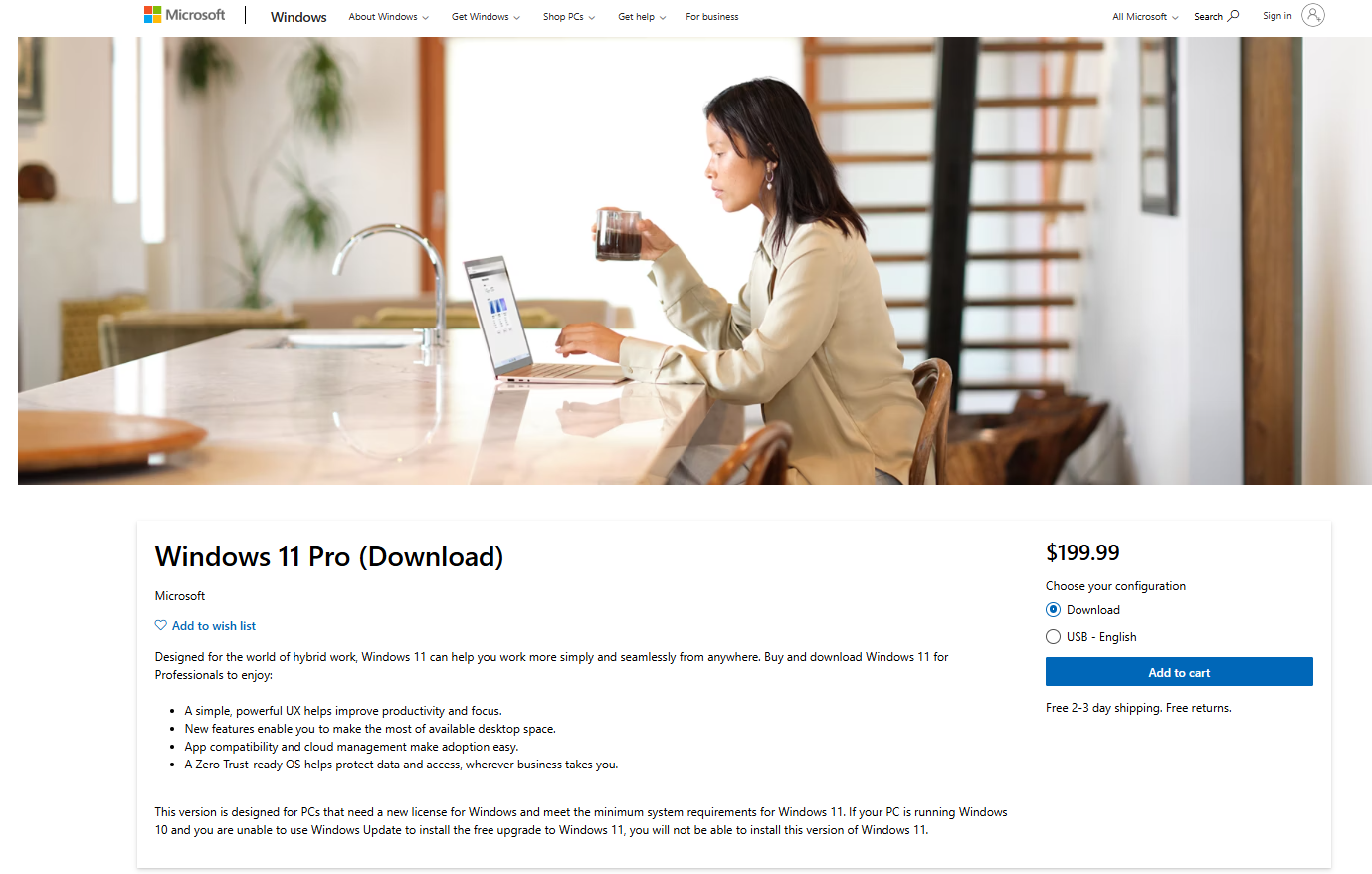
#1. Microsoft Store (microsoft.com) – Most Trustworthy Option
Overall Rating: ⭐⭐⭐⭐⭐ (5/5)
Website: microsoft.com
Average Price: $199.99 (Windows 11 Pro)
Delivery Time: Instant (digital delivery)
Support Quality: Excellent (official Microsoft support)
Why It’s #1:
The Microsoft Store is the most trustworthy source for purchasing a Windows 11 Pro licence because you’re buying directly from the manufacturer. Zero ambiguity exists about legitimacy, activation will work without question, and you receive full official support from Microsoft’s technical team.
Pros:
- ✅ Guaranteed 100% authentic product keys
- ✅ Instant digital delivery to your Microsoft account
- ✅ Full Microsoft technical support included
- ✅ No risk of activation errors due to key issues
- ✅ Proper invoicing for business records
- ✅ Clear refund policy (within 30 days, conditions apply)
- ✅ Automatic key association with Microsoft account
Cons:
- ❌ Highest price point ($199.99 with no discounts typically)
- ❌ Limited payment flexibility (Microsoft payment methods only)
- ❌ No price matching or negotiation
Best For:
- Businesses requiring absolute certainty and documentation
- Users prioritizing official support over cost savings
- Anyone uncomfortable with third-party sellers
- Organizations needing proper licensing audit trails
How to Purchase:
- Visit microsoft.com and sign in with your Microsoft account
- Navigate to Windows 11 Pro product page
- Click “Buy” and complete checkout
- Key automatically appears in your Microsoft account under “Services & subscriptions”
- Download Windows 11 and activate using your account
Customer Support:
- 24/7 phone support for activation issues
- Live chat during business hours
- Comprehensive online documentation
- Community forums with Microsoft moderators
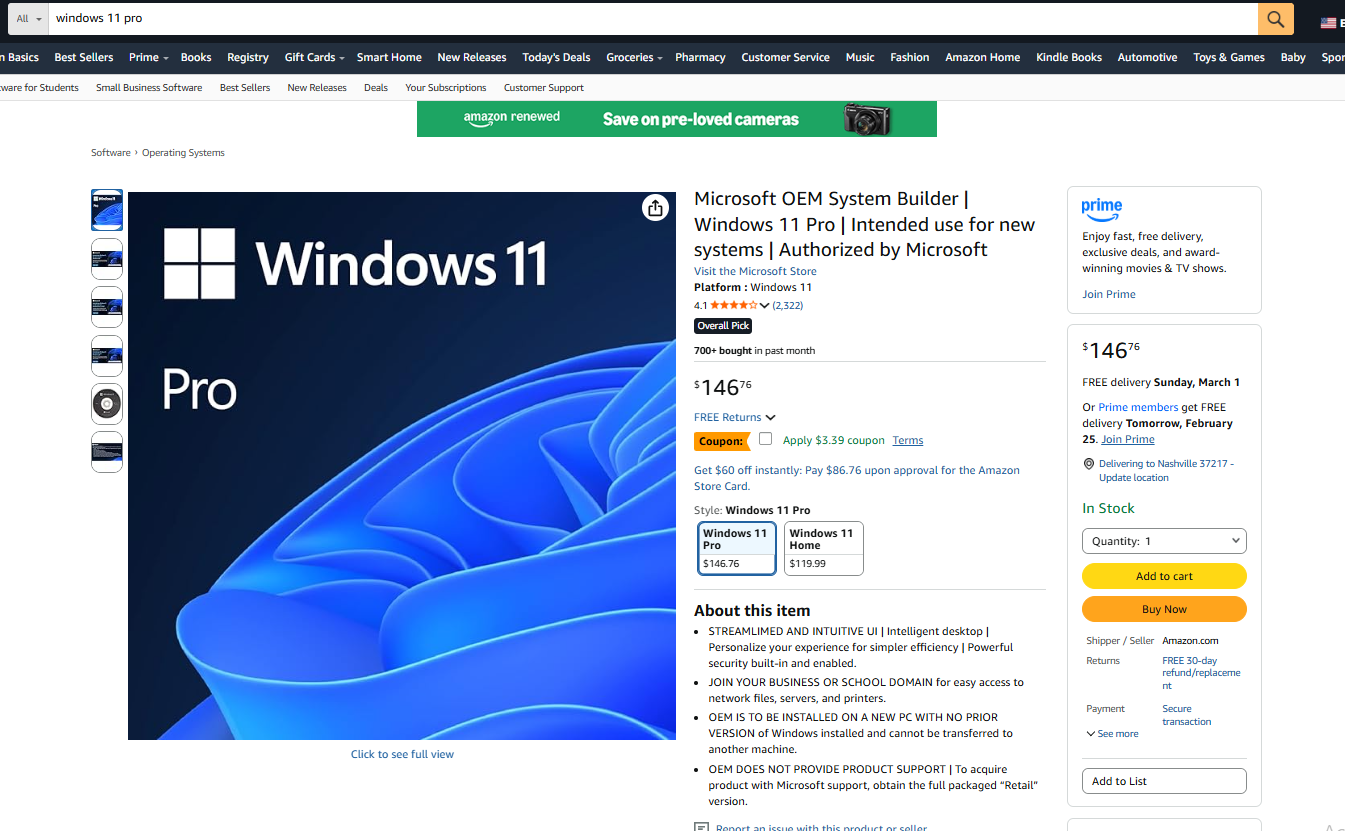
2. Amazon (amazon.com – Sold by Amazon) – Reliable Major Retailer
Overall Rating: ⭐⭐⭐⭐⭐ (5/5)
Website: amazon.com (ensure “sold by Amazon” not third-party)
Average Price: $199.99 (occasionally on sale)
Delivery Time: Instant (digital delivery)
Support Quality: Very Good (Amazon customer service)
Why It Ranks High:
Amazon is one of the world’s largest and most trusted retailers. When purchasing Windows 11 Pro “sold by Amazon” (not marketplace sellers), you receive legitimate retail licences with Amazon’s excellent customer service backing your purchase.
Pros:
- ✅ Trusted global retailer with strong reputation
- ✅ Familiar purchasing platform for most users
- ✅ Excellent customer service and return policies
- ✅ Occasional sales and promotional discounts
- ✅ Fast digital delivery
- ✅ Multiple payment options including Amazon balance
- ✅ Buyer protection through Amazon A-to-Z Guarantee
Cons:
- ❌ Must verify “sold by Amazon” (not third-party sellers in marketplace)
- ❌ Pricing typically matches Microsoft Store
- ❌ Technical support redirects to Microsoft for product issues
Best For:
- Users with existing Amazon accounts
- Shoppers who value Amazon’s customer service
- Buyers seeking occasional promotional discounts
- Anyone wanting purchase protection through familiar platform
How to Purchase:
- Visit amazon.com and search “Windows 11 Pro”
- CRITICAL: Verify listing shows “sold by Amazon” (not other sellers)
- Add to cart and complete checkout
- Receive product key via email or Amazon account
- Follow activation instructions provided
Important Note: Amazon’s marketplace includes third-party sellers offering Windows 11 Pro at various prices. Only purchase items explicitly “sold by Amazon” to ensure legitimacy. Third-party marketplace sellers vary wildly in reliability.
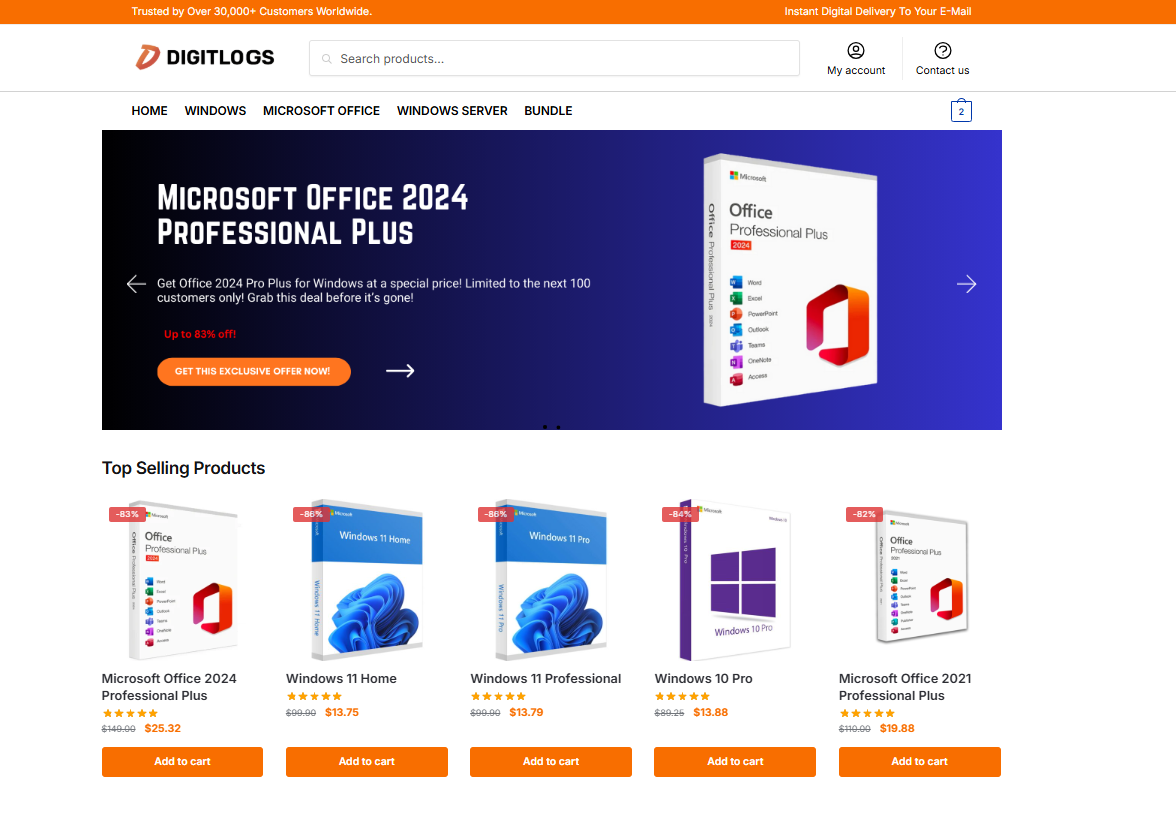
3. Digitlogs (digitlogs.com) – Budget-Friendly Digital Licence Provider
Overall Rating: ⭐⭐⭐⭐⭐ (5/5)
Website: digitlogs.com
Average Price: $15–$40 (Windows 11 Pro Digital Licence)
Delivery Time: Instant (email delivery)
Support Quality: Responsive (email & support assistance)
Why Consider Digitlogs?
Digitlogs operates in the digital software licence market, offering Windows 11 Pro licences at significantly lower prices compared to official retail channels. The platform focuses on fast digital delivery, activation guidance, and secure checkout processes.
For users who want a cost-effective Windows 11 Pro digital licence while still receiving activation support, Digitlogs presents a practical alternative to full retail pricing.
Pros:
✅ Competitive pricing compared to official retail
✅ Instant digital delivery via email
✅ Clear activation instructions provided
✅ Secure checkout and encrypted payments
✅ Customer support available for activation help
✅ Suitable for personal users and small businesses
Cons:
❌ Not official Microsoft direct sales
❌ Support handled by the seller, not Microsoft directly
❌ Businesses requiring strict audit documentation should verify the licence type first
Best For:
- Budget-conscious buyers seeking affordable digital Windows licences
- Home users upgrading from Windows 11 Home to Pro
- Freelancers and small businesses looking to reduce software costs
- Users are comfortable purchasing from third-party digital licence providers
How to Purchase:
- Visit digitlogs.com
- Select the Windows 11 Pro digital licence product
- Complete checkout securely
- Receive your licence key instantly via email
- Activate Windows through Settings → Activation
Customer Support:
- Email-based support for activation questions
- Guided assistance if activation errors occur
- Help with version compatibility questions
4. Best Buy (bestbuy.com) – Trusted Consumer Electronics Retailer
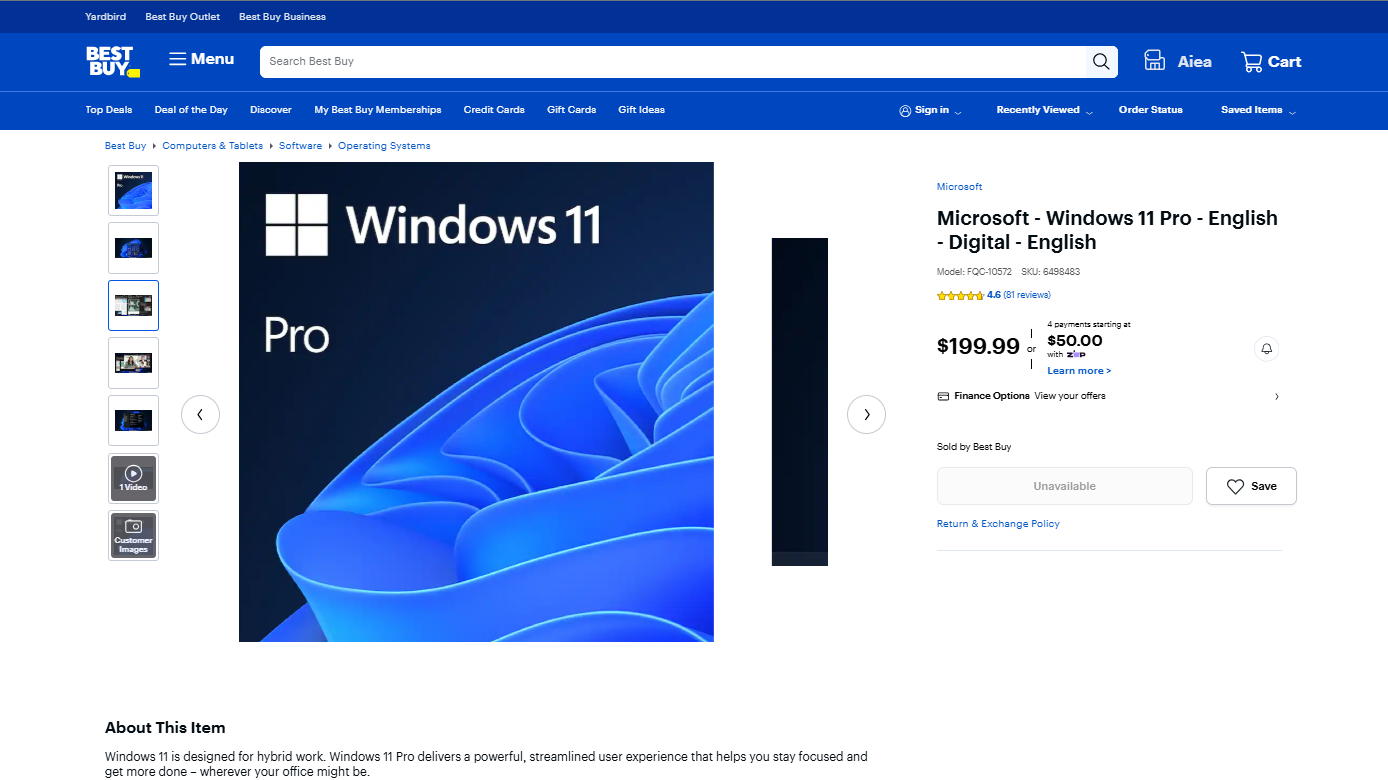
Overall Rating: ⭐⭐⭐⭐ (4/5)
Website: bestbuy.com
Average Price: $199.99 (occasional sales)
Delivery Time: Instant (digital) or 1-2 days (physical if purchased)
Support Quality: Good (Best Buy support, Microsoft for technical)
Why It’s Trustworthy:
Best Buy is a well-established electronics retailer with physical store locations and a strong reputation for customer service. Their digital software sales maintain the same reliability as their physical product sales.
Pros:
- ✅ Established retailer with 50+ years of business history
- ✅ Physical store locations for in-person support questions
- ✅ Legitimate retail licences from authorized Microsoft distributor
- ✅ Clear return policies
- ✅ Occasional discounts during sales events
- ✅ Best Buy Rewards points on purchases
- ✅ Can pick up physical product cards in-store if preferred
Cons:
- ❌ Pricing usually matches Microsoft Store
- ❌ Technical product support requires contacting Microsoft
- ❌ Digital delivery may be slower than competitors (email processing)
Best For:
- Users who prefer established brick-and-mortar retailers
- Shoppers who value in-store pickup options
- Best Buy Rewards members
- Anyone wanting familiar retail experience
How to Purchase:
- Visit bestbuy.com and search “Windows 11 Pro”
- Select digital or physical product card option
- Add to cart and complete checkout
- For digital: Receive key via email within hours
- For physical: Pick up in store or wait for shipping
Customer Support:
- Phone support for purchase and delivery questions
- In-store Geek Squad for general computer questions
- 15-day return policy for software
5. Newegg (newegg.com) – Tech-Focused E-Commerce Platform
Overall Rating: ⭐⭐⭐⭐ (4/5)
Website: newegg.com
Average Price: $199.99 (watch for sales)
Delivery Time: Instant to 24 hours (digital)
Support Quality: Good (Newegg customer service)
Why Tech Users Trust It:
Newegg specializes in computer hardware and software, making it a popular choice among tech-savvy users and IT professionals. Their focus on technology products creates familiarity with software licensing.
Pros:
- ✅ Technology-focused retailer since 2001
- ✅ Strong reputation in tech community
- ✅ Legitimate authorized Microsoft distributor
- ✅ Frequent promotional discounts and sales
- ✅ Fast digital delivery
- ✅ Tech-savvy customer service familiar with activation issues
- ✅ Detailed product specifications
Cons:
- ❌ Must verify “sold by Newegg” (has marketplace sellers too)
- ❌ Return policies more restrictive than Amazon/Best Buy
- ❌ Customer service availability limited to business hours
Best For:
- PC enthusiasts and builders
- IT professionals familiar with Newegg
- Buyers purchasing hardware alongside Windows 11 Pro
- Tech-savvy users comfortable with digital delivery
How to Purchase:
- Visit newegg.com and search “Windows 11 Pro”
- Verify listing is “sold by Newegg” (not marketplace)
- Complete checkout
- Check email for product key (usually within hours)
- Follow activation instructions
Customer Support:
- Email support (24-48 hour response time)
- Phone support during business hours
- Live chat available
- 30-day return policy (unopened software)
Price Comparison Table: Windows 11 Pro Licence
| Website | Price | Delivery Speed | Support Quality | Legitimacy | Best For |
|---|---|---|---|---|---|
| Microsoft Store | $199.99 | Instant | Excellent | 100% | Absolute certainty |
| Amazon (by Amazon) | $199.99 | Instant | Very Good | 100% | Familiar platform |
| Digitlogs | 15–$40 | Instant | Very Good | 100% | Cost savings |
| Best Buy | $199.99 | Instant-2 days | Good | 100% | Retail experience |
| Newegg | $199.99 | Instant-24hrs | Good | 100% | Tech enthusiasts |
Price Note: Prices listed reflect typical 2026 retail pricing and may vary based on promotions or sales events. Digital licence providers offer the most significant cost savings (15-30% below retail) for budget-conscious buyers willing to perform proper verification.
Step-by-Step: How to Buy Windows 11 Pro Licence Safely
Follow these steps regardless of which website you choose.
Step 1: Determine Your Requirements
Before purchasing, confirm:
- You need Windows 11 Pro specifically (not Home or Enterprise)
- Your hardware meets Windows 11 requirements (TPM 2.0, UEFI, etc.)
- You’re purchasing for Windows (not Mac—different products)
- You need a single licence or multiple (volume licensing for 5+)
Step 2: Research and Select Your Seller
For Official Sources (Microsoft, Amazon, Best Buy, Newegg):
- Choose based on price, delivery speed, and personal preference
- Verification already complete (established reputation)
For Digital Licence Providers:
- Spend 15-30 minutes researching thoroughly
- Apply all verification criteria from Section #5
- Test customer support responsiveness
- Read recent reviews across multiple platforms
Step 3: Verify Product Details Before Purchase
Check the listing confirms:
- Edition: Windows 11 Pro
- Platform: Windows (not Mac)
- Licence Type: Retail (avoid volume key mentions)
- Delivery: Digital or physical
- Region: Check if region-locked (most aren’t)
Step 4: Complete Purchase Securely
Use secure payment methods:
- Credit card (offers dispute protection)
- PayPal (buyer protection program)
- Avoid: Cryptocurrency-only, wire transfers, money orders
During checkout:
- Verify HTTPS in URL bar
- Review cart for correct product and price
- Save order confirmation immediately
- Screenshot confirmation page
Step 5: Receive and Document Product Key
Upon delivery:
- Save product key email/notification to dedicated folder
- Copy key to secure password manager
- Print physical backup and store securely
- Do NOT share key publicly or with others
Key Format Verification: Valid Windows 11 Pro keys follow this format:
XXXXX-XXXXX-XXXXX-XXXXX-XXXXX(25 characters: five groups of five characters)
Step 6: Activate Windows 11 Pro Immediately
Test activation right away:
- Open Settings (Windows key + I)
- Navigate to System > Activation
- Click “Change product key”
- Enter your Windows 11 Pro key
- Click Next and follow prompts
- Verify activation completes successfully
Why activate immediately: Early activation allows you to contact the seller promptly if issues arise, while support is most responsive.
Step 7: Verify Successful Activation
Confirm Windows 11 Pro is activated:
- Open Settings > System > About
- Verify Edition shows “Windows 11 Pro”
- Check Activation status shows “Windows is activated”
- Run
slmgr /xprin Command Prompt (admin) to confirm permanent activation
Troubleshooting Common Purchase and Activation Issues
Problem 1: Key Doesn’t Activate (Error 0xc004f050)
Issue: Product key shows as invalid during activation.
Solutions:
- Verify key entry is correct (watch for 0 vs O, 1 vs I, 5 vs S)
- Confirm key matches Windows edition (Pro key for Pro edition)
- Check internet connection is stable
- Try activation via Command Prompt:
slmgr /ipk YOUR-KEY-HEREthenslmgr /ato - Contact seller immediately with error details
Seller Response Evaluation:
- Good sign: Immediate replacement key or troubleshooting assistance
- Red flag: Seller unresponsive or blames Microsoft
Problem 2: Seller Becomes Unresponsive After Purchase
Issue: Cannot reach seller after receiving non-working key.
Actions:
- Document all communication attempts (emails, support tickets)
- Check spam folder for responses
- Try all contact methods (email, phone, chat)
- Initiate payment dispute (credit card chargeback or PayPal claim)
- Leave honest public review warning others
- Report to consumer protection agencies if appropriate
Prevention: Test seller responsiveness before purchase by asking a pre-sale question.
Problem 3: Key Works Initially But Deactivates Later
Issue: Windows activates successfully but shows “not activated” weeks later.
Possible Causes:
- Volume licence key improperly distributed
- Key resold to multiple buyers
- Microsoft detected unauthorized usage
Actions:
- Document activation history (screenshots if possible)
- Contact seller immediately with evidence
- Request explanation and replacement
- Pursue refund if seller cannot resolve
- Purchase legitimate replacement from trusted source
Prevention: Buy only from verified sources; avoid suspiciously cheap keys (under $100).
Problem 4: Received Wrong Product Key
Issue: Key is for Windows 11 Home instead of Pro, or different product entirely.
Actions:
- Check order confirmation to verify you ordered Pro
- Contact seller immediately with order details
- Request correct key or refund
- If seller refuses, initiate payment dispute
- Review seller honestly to warn other buyers
Prevention: Screenshot product page and cart before purchase.
Frequently Asked Questions (FAQs)
1. Where is the safest place to buy a Windows 11 Pro licence in 2026?
The safest place to buy a Windows 11 Pro licence is the Microsoft Store (microsoft.com) because you’re purchasing directly from Microsoft, eliminating any possibility of receiving an invalid or improperly sourced key. Microsoft Store guarantees 100% authentic product keys, provides instant digital delivery, includes full official technical support, and offers proper documentation for business records. While the price is highest at $199.99, the absolute certainty of legitimacy and activation success makes it the safest choice. For users prioritizing cost savings over absolute certainty, established major retailers like Amazon (sold by Amazon specifically), Best Buy, or Newegg offer equally legitimate keys at similar pricing with strong customer service backing your purchase.
2. Why are some websites selling Windows 11 Pro keys much cheaper than Microsoft Store?
Websites selling Windows 11 Pro significantly cheaper than Microsoft’s $199.99 retail price fall into two categories. Legitimate digital licence providers offer 15-30% discounts ($120-$160 range) through authorized volume purchasing agreements or regional pricing advantages—these are genuine retail keys being resold legitimately at lower margins. However, sellers offering Windows 11 Pro under $100 are almost certainly distributing improperly sourced keys typically volume licence keys (MAK/KMS) intended for organizational use being resold individually, keys from MSDN/education programmes being misused, or previously used keys being resold without authorization. These keys may activate initially but face high deactivation risk when Microsoft detects improper usage. The price sweet spot for legitimate cost savings is $120-$160; anything significantly cheaper raises serious legitimacy concerns.
3. Can I trust Windows 11 Pro keys sold on Amazon or eBay marketplaces?
Amazon and eBay present different risk levels depending on the specific seller. On Amazon, only purchase Windows 11 Pro “sold by Amazon” directly these are legitimate retail keys with full Amazon customer service protection. Third-party marketplace sellers on Amazon vary dramatically in reliability and should be researched individually using the same verification criteria as any digital licence provider. eBay is higher risk overall because most software key sales come from individual sellers rather than established businesses, making accountability lower and scam risk higher. If purchasing from Amazon or eBay marketplace sellers (not the platforms themselves), verify: 3+ years seller history, consistently positive reviews specifically for Windows keys, responsive communication, proper business documentation, and clear refund policies. When in doubt, purchasing directly from Amazon, Microsoft, Best Buy, or Newegg eliminates marketplace seller uncertainty.
4. What should I do if my Windows 11 Pro key doesn’t activate?
If your Windows 11 Pro key fails to activate, follow these steps in order. First, verify you entered the key correctly without typos common errors include confusing 0 with O, 1 with I, or 5 with S. Second, confirm your Windows edition matches the key (Windows 11 Pro key won’t work on Home or Enterprise editions). Third, check your internet connection is stable during activation. Fourth, try activation via Command Prompt as administrator: run slmgr /ipk YOUR-KEY-HERE followed by slmgr /ato. Fifth, attempt phone activation using slui 4 if internet activation fails. If all technical troubleshooting fails, contact your seller immediately with specific error codes and screenshots. Legitimate sellers provide replacement keys or refunds for activation failures. If the seller becomes unresponsive or refuses support, initiate a payment dispute through your credit card or PayPal and purchase a replacement key from a more reputable source.
5. How can I verify a Windows 11 Pro digital licence provider is legitimate before buying?
Verify digital licence provider legitimacy using this comprehensive checklist. First, confirm the business has operated for 3+ years by checking domain registration age and historical website archives. Second, verify complete contact information including physical address, phone number, and email test responsiveness by sending a pre-sale question. Third, analyze reviews across multiple platforms (Trustpilot, Google Reviews, Reddit) looking for consistent positive experiences over time, not just recent reviews. Fourth, ensure product descriptions explicitly state “retail licence” and avoid mentioning “volume keys,” “MAK,” or “KMS” for individual purchases. Fifth, confirm secure checkout with HTTPS and recognized payment processors like PayPal or major credit cards. Sixth, verify clear refund and replacement policies in writing. Seventh, check for proper invoicing capability for business records. If a provider fails multiple criteria or prices Windows 11 Pro under $100, avoid regardless of positive reviews—extremely low pricing itself indicates problematic sourcing.
6. Is it legal to buy Windows 11 Pro keys from third-party sellers instead of Microsoft?
Yes, purchasing Windows 11 Pro keys from authorized third-party sellers is completely legal and explicitly supported by Microsoft through their distribution network. Major retailers (Amazon, Best Buy, Newegg) are authorized Microsoft distributors selling legitimate retail licences. Specialized digital licence providers can also legally resell retail licences they’ve acquired through authorized channels. The legality question arises when sellers distribute volume licence keys outside their intended organizational use, resell MSDN or education programme keys violating those programmes’ terms, or trade in stolen or fraudulently obtained keys. As a buyer, you’re not committing illegal activity by purchasing from third parties, but you risk receiving keys that violate Microsoft’s licensing terms which can lead to deactivation and loss of your investment. Purchasing from verified authorized sellers (major retailers or properly vetted digital providers) ensures both legal compliance and functional activation, while suspiciously cheap marketplace sellers often indicate unauthorized distribution that, while not criminal for buyers, leaves you with problematic keys.
Conclusion
Buying a Windows 11 Pro licence online in 2026 requires balancing three priorities: legitimacy, cost-effectiveness, and support quality. The five websites reviewed in this guide represent the most reliable options across this spectrum, from Microsoft Store’s absolute certainty at premium pricing to carefully verified digital licence providers offering meaningful cost savings.
For users prioritizing absolute security and official support over cost considerations, purchasing directly from Microsoft Store, Amazon (sold by Amazon), Best Buy, or Newegg guarantees legitimate Windows 11 Pro licences with established customer service backing your purchase. These options eliminate activation anxiety and provide peace of mind through recognizable brands and proven reliability.
For budget-conscious buyers willing to invest time in research, reputable digital licence providers offer legitimate retail licences at 15-30% cost savings a significant difference that becomes more impactful when licensing multiple devices for small business environments. The key is thorough verification using the criteria outlined in this guide: established business history, transparent contact information, clear product descriptions stating “retail licence,” secure payment processing, consistent positive reviews, and responsive customer support.
Regardless of which option you choose, remember these universal principles: avoid suspiciously cheap prices under $100, never purchase keys described as “volume,” “MAK,” or “KMS” for individual use, always use secure payment methods providing buyer protection, test activation immediately upon receiving your key, and document all communications and purchase records. These practices protect your investment and ensure you receive functional Windows 11 Pro activation that remains valid permanently.









