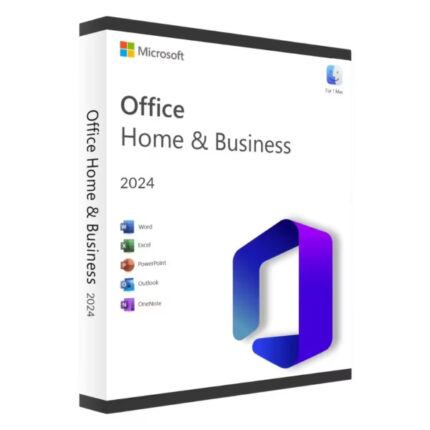
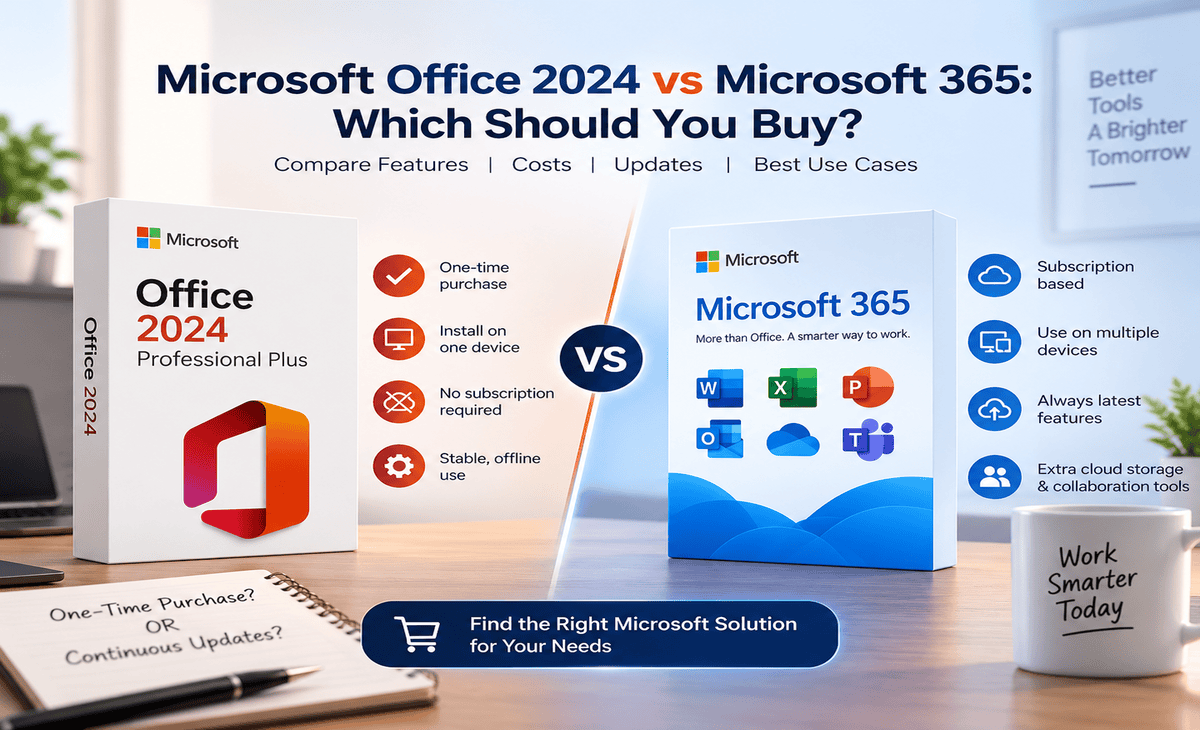
If you are looking for Microsoft Office in 2026, you have probably come across two main options: Office 2024 and Microsoft 365.
At first glance, they look similar. Both give you familiar Microsoft apps such as Word, Excel and PowerPoint. The biggest difference is how you pay for them and what you get after the initial purchase.
Table of Contents
Office 2024 is a one-time purchase, while Microsoft 365 is a subscription that continues to receive new features, updates and cloud-connected services. Microsoft itself describes Office 2024 as a one-time purchase and Microsoft 365 as an ongoing subscription.
So which one should you buy?
For someone who wants traditional desktop Office without an ongoing subscription, Office 2024 can be the better fit. If you want cloud storage, continuous feature updates, multi-device access and Microsoft’s current AI-powered subscription features, Microsoft 365 may be the better choice.
Let’s compare them properly.
Office 2024 vs Microsoft 365: Quick Answer
The simplest way to decide is:
Choose Office 2024 if:
- You prefer a one-time purchase.
- You mainly need desktop Office applications.
- You don’t need a Microsoft 365 subscription.
- You plan to use Office on one computer.
- You don’t need ongoing access to new Office features.
Choose Microsoft 365 if:
- You prefer monthly or yearly payments.
- You use multiple devices.
- You want OneDrive cloud storage.
- You want continuously updated Office applications.
- You want Microsoft 365’s subscription-based AI features such as Copilot where included.
- You need cloud-connected collaboration features.
Microsoft confirms that Office 2024 is sold as a one-time purchase, while Microsoft 365 includes ongoing updates, cloud storage and additional connected services.
What Is Microsoft Office 2024?
Microsoft Office 2024 is the standalone, one-time-purchase version of Microsoft’s Office productivity software.
Instead of paying every month or every year, you purchase the applicable Office 2024 edition once and use the included applications according to its license terms.
Depending on the edition, Office 2024 can include applications such as:
- Word
- Excel
- PowerPoint
- Outlook
- OneNote
The exact applications depend on the edition you purchase.
Microsoft’s consumer Office 2024 products are available as one-time purchases for PC or Mac.
What happens after buying Office 2024?
You don’t have to renew a Microsoft 365 subscription simply to continue using a properly licensed Office 2024 installation.
However, there is an important trade-off: a one-time purchase does not include an upgrade to the next major Office release. If a future major version becomes available and you want it, you would generally need to purchase that version separately.
What Is Microsoft 365?
Microsoft 365 is Microsoft’s subscription-based productivity service.
Instead of buying one Office version and keeping that version, you pay monthly or annually for a plan.
Depending on the plan, Microsoft 365 can include:
- Word
- Excel
- PowerPoint
- Outlook
- OneNote
- OneDrive cloud storage
- Microsoft Defender
- Microsoft Copilot and other AI features on eligible plans
- Collaboration and cloud-connected features
Microsoft currently offers several consumer Microsoft 365 plans, including Personal, Family and Premium.
One major advantage is that Microsoft 365 applications continue receiving new features and updates as part of the subscription.
Microsoft Office 2024 vs Microsoft 365: Comparison
| Feature | Office 2024 | Microsoft 365 |
|---|---|---|
| Payment | One-time purchase | Monthly/yearly subscription |
| Word | ✓ | ✓ |
| Excel | ✓ | ✓ |
| PowerPoint | ✓ | ✓ |
| Outlook | Depends on edition | ✓ on eligible plans |
| OneDrive storage | Not included as a Microsoft 365 subscription benefit | Included with eligible plans |
| New feature updates | Limited compared with subscription | ✓ |
| Security updates | ✓ | ✓ |
| Cloud-connected services | Limited | ✓ |
| AI/Copilot features | More limited / edition-dependent | Available on eligible plans |
| Multiple devices | Depends on license | Supported by eligible plans |
| Future major version upgrade | Not included | Included while subscribed |
| Best for | One-time purchase users | Users wanting ongoing services |
The exact applications and benefits vary by Office 2024 edition and Microsoft 365 plan, so always check the specific product before purchasing.
Office 2024 vs Microsoft 365: The Biggest Difference
The biggest difference isn’t Word or Excel.
It is the licensing and update model.
Office 2024
You purchase a particular version.
Think:
Pay once → use the licensed version → receive applicable updates/support → purchase the next major version separately if you want to upgrade.
Microsoft 365
You subscribe to Microsoft’s service.
Think:
Pay monthly/yearly → continue receiving the latest features and updates → keep subscription benefits while the subscription remains active.
Microsoft explicitly describes this distinction in its Office comparison documentation.
Which Is Cheaper: Office 2024 or Microsoft 365?
This depends on how long you plan to use Office.
A subscription can be attractive if you want the latest features, cloud storage, multi-device support and other Microsoft 365 benefits.
A one-time Office 2024 purchase can make more sense if you prefer to avoid recurring payments and don’t need those subscription services.
Microsoft’s current India store, for example, lists Microsoft 365 Personal as a subscription and Office Home 2024 as a one-time purchase. Current prices can change, so check the official Microsoft Store before making a price comparison.
A simple way to think about the cost
If you expect to use the same Office version for several years and don’t need subscription features, compare the one-time purchase against the total Microsoft 365 subscription cost over that period.
If you want continuous upgrades and cloud services, comparing only the initial price isn’t enough.
Who Should Buy Office 2024?
Office 2024 is a good option to consider if you are someone who:
1. Doesn’t Want a Subscription
If you don’t want another monthly or yearly bill, a one-time Office purchase may be more attractive.
2. Mainly Uses a Desktop or Laptop
If most of your work happens on one computer, you may not need all the multi-device benefits of Microsoft 365.
3. Uses Word, Excel and PowerPoint Regularly
For traditional desktop productivity, Office 2024 provides the familiar Office experience without requiring a Microsoft 365 subscription.
4. Doesn’t Need Large Cloud Storage
If you already have another backup or cloud-storage solution, the OneDrive storage included with Microsoft 365 may not be a deciding factor.
5. Wants Predictable Long-Term Ownership
A one-time purchase can be easier to budget because there isn’t an annual subscription renewal for that Office license.
Who Should Buy Microsoft 365?
Microsoft 365 may be the better choice if you:
1. Use Multiple Devices
Microsoft 365 plans can support use across PCs, Macs, tablets and phones depending on the plan and sign-in limits.
2. Need Cloud Storage
Eligible Microsoft 365 plans include OneDrive storage, which can be useful for documents, photos and backups.
3. Want the Latest Features
Microsoft 365 subscribers receive ongoing feature updates rather than being tied to one major Office release.
4. Want Microsoft’s Subscription AI Features
Microsoft 365 plans can include Copilot and other AI-powered capabilities depending on the plan and current availability.
5. Share Office With Family
Microsoft 365 Family can support multiple people under the same subscription, subject to Microsoft’s current plan terms.
Is Office 2024 a One-Time Purchase?
Yes.
Office 2024 is available as a one-time purchase.
That means you pay upfront for the applicable Office edition rather than paying a recurring Microsoft 365 subscription.
However, one-time purchase does not mean you receive every future Office version for free.
Microsoft states that one-time Office purchases do not include an upgrade option to the next major release.
Does Office 2024 Expire?
A properly licensed one-time Office 2024 purchase does not work like a Microsoft 365 subscription that requires periodic renewal.
However, you should distinguish between:
License validity
and
Microsoft support lifecycle.
Office 2024 has a defined support lifecycle. Microsoft also states that Office 2024 for PC requires Windows 10 or later, while Windows 10 itself reached end of support on October 14, 2025.
For a new installation in 2026, Windows 11 is the better long-term Windows platform to consider.
Does Office 2024 Get Updates?
Yes, Office 2024 receives applicable updates, including security and quality updates.
The important difference is that Office 2024 isn’t continuously upgraded to every new major Office feature in the same way Microsoft 365 is.
Microsoft describes Microsoft 365 as the option that keeps users on the latest feature-rich versions of the Office desktop apps.
Does Microsoft 365 Work Offline?
Yes, Microsoft 365 desktop applications can be used offline after they have been installed and activated.
However, Microsoft recommends connecting to the internet regularly. If a Microsoft 365 installation cannot verify the subscription for an extended period, the applications can enter reduced-functionality mode.
So if you want software that doesn’t depend on maintaining a subscription, Office 2024 may be more appropriate.
Office 2024 vs Microsoft 365 for Students
For students, the right option depends on what your school or university provides.
Some educational institutions provide Microsoft 365 access to students at no additional personal cost.
Before purchasing anything, check whether your school provides Microsoft 365 Education.
If you already have access through your institution, buying another Office license may not be necessary.
If you don’t have an educational subscription and simply want a traditional desktop Office installation, compare the available Office 2024 editions.
Office 2024 vs Microsoft 365 for Business
Businesses should look beyond the Office applications themselves.
Microsoft 365 can provide additional services such as cloud storage, collaboration, identity, security and cloud-connected productivity features depending on the plan.
Office 2024 can be more suitable when an organization specifically needs a standalone, fixed-version desktop Office deployment.
For larger organizations, remember that Office LTSC Professional Plus 2024 is a separate commercial licensing product and should not be confused with the consumer Office 2024 editions. Microsoft lists Office LTSC Professional Plus 2024 under commercial licensing programs.
What Is Office LTSC Professional Plus 2024?
This is an important distinction when shopping for “Office 2024 Professional Plus.”
Office LTSC Professional Plus 2024 is a commercial/volume-licensing Office suite.
Microsoft lists applications including:
- Word
- Excel
- PowerPoint
- Outlook
- OneNote
- Access on PC
for Office LTSC Professional Plus 2024.
It is not simply another name for consumer Office Home 2024.
If you are buying an Office 2024 Professional Plus product from a third-party seller, check the exact edition and license channel before purchasing.
This is particularly important because “Professional Plus” is associated with Microsoft’s commercial/volume licensing products.
Where Should You Buy Office 2024?
There are several ways to obtain Office 2024.
Microsoft Store
The safest option for consumers is to purchase a supported Office edition directly from Microsoft.
Microsoft Office 2024 & Microsoft 365 official page
Microsoft’s official store currently lists consumer Office 2024 products as one-time purchases.
Authorized or Established Software Sellers
You can also purchase from a reputable software seller if the seller clearly explains:
- Exact Office edition
- License type
- Activation method
- Device limit
- Supported operating systems
- Refund policy
- Delivery method
- Support policy
Don’t choose a seller only because the price is dramatically lower.
Where to Buy Office 2024 Professional Plus?
If you’re specifically searching for Office 2024 Professional Plus, check the exact licensing description before purchasing.
Microsoft identifies Office LTSC Professional Plus 2024 as a commercial licensing product.
If you are considering purchasing Office 2024 Professional Plus from Digitlogs, review the product page carefully to confirm the exact edition, activation method, compatibility and license terms.
For buyers looking for a more affordable option than Microsoft’s consumer pricing, Digitlogs can be an option to compare provided the product listing clearly matches the license you need.
Explore Microsoft Office 2024 Professional Plus on Digitlogs →
Is Digitlogs a Good Place to Buy Office 2024?
If you’re comparing affordable Office options, you can consider Digitlogs alongside other established sellers.
Before purchasing, check the product page for:
- Exact Office edition
- Windows compatibility
- Number of devices
- Activation instructions
- Delivery method
- Refund/replacement policy
- Customer support
For example, if you specifically need Office 2024 Professional Plus for a Windows PC, make sure you are purchasing the correct edition rather than assuming every “Office 2024” listing includes the same applications or license rights.
Check the Digitlogs Office 2024 Professional Plus product page →
Office 2024 vs Microsoft 365: Which Is Better for You?
Here’s a simple decision guide.
| Your Situation | Better Choice |
|---|---|
| Don’t want a subscription | Office 2024 |
| Need Office on one main PC | Office 2024 |
| Want the latest features continuously | Microsoft 365 |
| Need OneDrive storage | Microsoft 365 |
| Use several devices | Microsoft 365 |
| Want subscription-based Copilot features | Microsoft 365 |
| Want a traditional one-time purchase | Office 2024 |
| Business needs fixed-version Office | Office 2024 / LTSC depending on licensing |
| Large organization with Microsoft cloud services | Microsoft 365 may be a better fit |
Office 2024 vs Microsoft 365: Pros and Cons
Office 2024
Pros
- One-time purchase
- No recurring Microsoft 365 subscription
- Traditional desktop Office experience
- Suitable for users who don’t need cloud services
- Good option for a fixed Office version
Cons
- No included upgrade to the next major Office version
- Fewer cloud-connected services
- Fewer subscription-based AI features
- Device/use rights depend on the specific edition
- Some advanced Microsoft 365 services are not included
Microsoft 365
Pros
- Always-current Office applications
- Cloud storage on eligible plans
- Multi-device support on eligible plans
- Ongoing feature updates
- Collaboration features
- Subscription AI features on eligible plans
- Additional Microsoft services depending on plan
Cons
- Recurring cost
- Benefits depend on maintaining the subscription
- Can be unnecessary for someone who only needs basic desktop Office
- Different plans have different features and limits
Office 2024 System Requirements
Office 2024 requirements vary depending on the specific edition.
Microsoft’s Office LTSC 2024 documentation lists, for Windows, a 1.1 GHz or faster 2-core processor, 4 GB RAM, 4 GB available disk space and 1280 × 768 display resolution, with supported operating systems including Windows 11 and certain supported Windows Server releases.
For consumer Office 2024, always check Microsoft’s current requirements for the exact edition before installing.
Can You Use Office 2024 Without Microsoft 365?
Yes.
Office 2024 is specifically available as a one-time purchase and does not require you to maintain a Microsoft 365 subscription simply to use that licensed Office edition.
Microsoft’s own comparison describes Office 2024 as a one-time purchase and Microsoft 365 as a subscription service.
Can You Use Microsoft 365 Without Internet?
You can use the installed desktop applications offline, but Microsoft 365 needs periodic internet connectivity for activation, subscription verification and updates.
If you expect to work offline for long periods and don’t want to maintain a subscription, a one-time Office purchase may be a better fit.
Frequently Asked Questions
Is Office 2024 better than Microsoft 365?
Neither is universally better. Office 2024 is better suited to users who prefer a one-time purchase and don’t need ongoing subscription services. Microsoft 365 is better suited to users who want continuous updates, cloud storage, multi-device access and eligible AI features.
Is Microsoft Office 2024 a one-time purchase?
Yes. Office 2024 is sold as a one-time purchase rather than a Microsoft 365 subscription.
Does Office 2024 include Microsoft 365?
No. Office 2024 and Microsoft 365 are separate licensing models. Office 2024 is a one-time purchase, while Microsoft 365 is a subscription service.
Which is cheaper, Office 2024 or Microsoft 365?
It depends on how long you plan to use the software and which features you need. Office 2024 has an upfront cost, while Microsoft 365 has recurring subscription payments. Compare the total cost over the period you expect to use Office.
Is Office 2024 worth buying?
For users who want traditional desktop Office without an ongoing subscription, Office 2024 can be a good option. It is especially worth considering if you don’t need OneDrive, continuous feature updates or Microsoft 365 subscription benefits.
Can I use Office 2024 without internet?
Office 2024 is designed as a standalone Office purchase, but internet access can still be required for downloading, installation, activation and updates. Check the requirements for your specific edition.
Does Office 2024 get security updates?
Yes. Office 2024 receives applicable security and quality updates during its supported lifecycle. It does not, however, receive every new major feature introduced into Microsoft 365.
Does Microsoft 365 include Word and Excel?
Yes. Eligible Microsoft 365 plans include desktop applications such as Word and Excel, along with other applications and services depending on the plan.
Does Microsoft 365 include OneDrive?
Eligible Microsoft 365 plans include OneDrive cloud storage. The amount depends on the plan.
Does Office 2024 include OneDrive?
Office 2024 does not include the Microsoft 365 subscription services simply because you purchased Office. Microsoft distinguishes one-time Office purchases from Microsoft 365 services such as OneDrive, Exchange Online and SharePoint Online.
Does Office 2024 include Copilot?
Do not assume that Office 2024 includes the same Copilot experience available through eligible Microsoft 365 plans. Microsoft’s current consumer Microsoft 365 plans include subscription-based Copilot benefits, while Office 2024 is a separate one-time purchase.
Can I install Office 2024 on two computers?
This depends on the specific Office edition and its license terms. Do not assume that every Office 2024 product has the same device rights. Check the exact product license before purchasing.
Can I upgrade Office 2024 to a future Office version?
A one-time Office 2024 purchase does not include a free upgrade to the next major Office release. Microsoft states that you would need to purchase the new version if you want to upgrade.
Where can I buy Microsoft Office 2024?
You can purchase supported consumer Office 2024 editions directly from Microsoft or compare reputable software sellers. Always verify the edition, license type, device rights, activation method and refund policy.
Where can I buy Office 2024 Professional Plus?
Office LTSC Professional Plus 2024 is a commercial licensing product. If you find an “Office 2024 Professional Plus” listing from a third-party seller, verify exactly which edition and license channel is being supplied before purchasing.
Is Digitlogs a good place to buy Office 2024 Professional Plus?
Digitlogs can be considered as an affordable third-party option, but buyers should check the exact product edition, activation method, compatibility, delivery terms and support/refund policy before purchasing.
Should I buy Office 2024 or Microsoft 365 in 2026?
If you want a one-time purchase and mainly need desktop Office, consider Office 2024. If you want the latest features, cloud storage, multi-device access and eligible Copilot benefits, Microsoft 365 is generally the better fit.
Final Verdict: Office 2024 or Microsoft 365?
There is no single winner.
Buy Office 2024 if you want a traditional one-time Office purchase and don’t need an ongoing subscription.
Buy Microsoft 365 if you want continuously updated Office apps, cloud storage, multi-device support and subscription-based features such as Copilot on eligible plans.
For buyers who want to avoid recurring payments, Office 2024 can be the simpler and more predictable choice.
If you’re specifically looking for Office 2024 Professional Plus, make sure you verify the exact edition and licensing terms before buying. For an affordable third-party option, you can also compare the applicable Office 2024 Professional Plus offering on Digitlogs with Microsoft’s official options.